
JST ERP New Feature Updates in September 2026 | 14.09.2026
As order volumes, product ranges, and operational teams continue to grow, efficient business management requires more than simply having information available. Teams also need to find the right data quickly, configure workflows that match real operations, and maintain clear control over each process.
The updates cover order tags, customized order exports, ERP order imports, return management, warehouse picking, PDA operations, user permissions, and more.
Several functions have also been enhanced to provide more detailed search options, greater flexibility in warehouse workflows, and clearer information across different operational stages.
Together, these improvements help businesses reduce repetitive work, locate important information more efficiently, and configure JST ERP to better match their day to day operations.
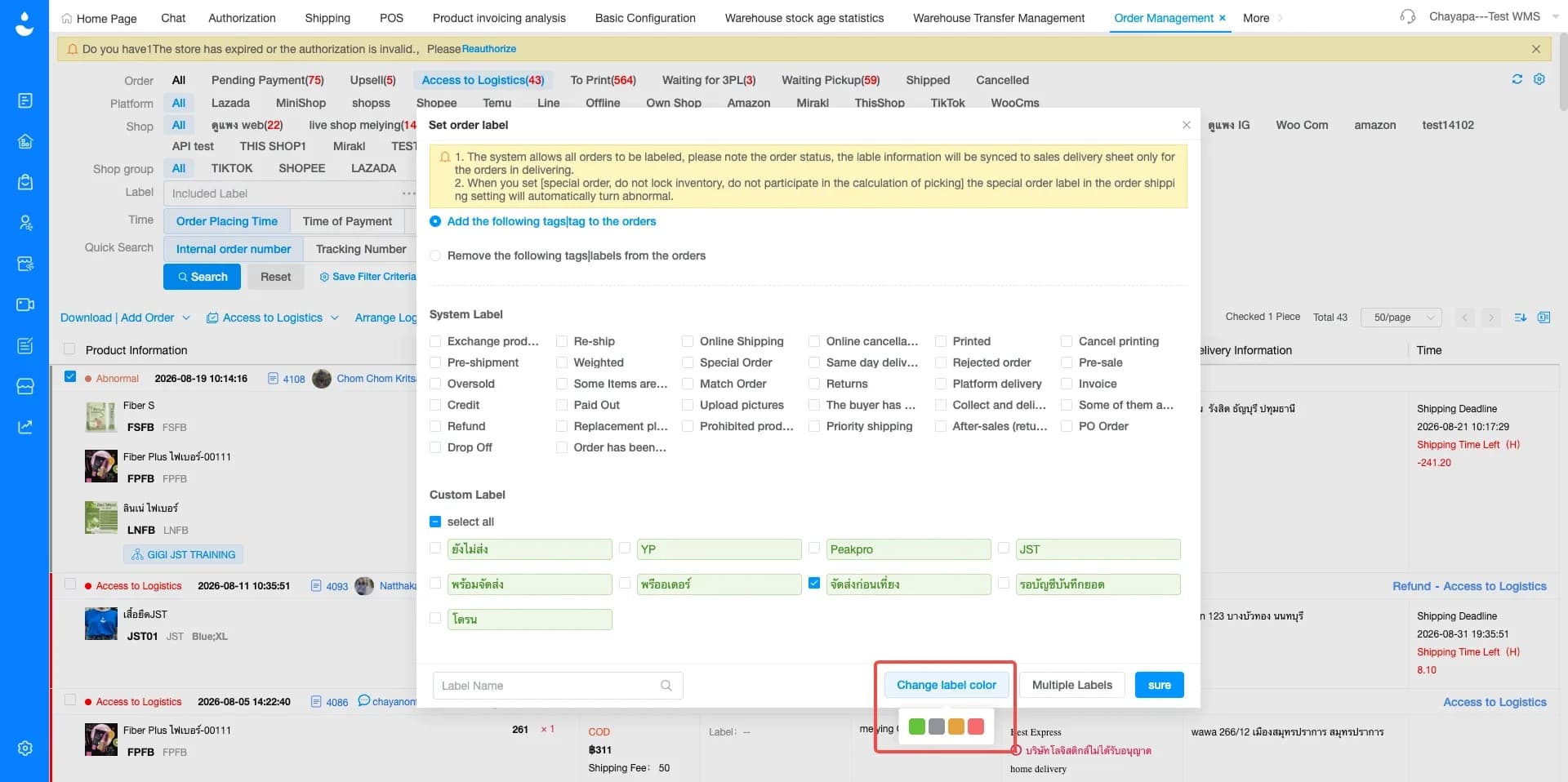
1. Custom order tags now support label colors
Menu: Order Management › Set Tags › Maintain Custom Labels/Multiple labels
JST ERP now allows users to customize the color of labels created within Order Management. Businesses that use multiple custom tags to categorize orders can now assign different colors to individual labels, making them easier to identify at a glance.
Businesses can configure label colors according to their own workflows, helping team members follow the same tagging structure and recognize relevant orders more quickly.
This improvement makes custom labels easier to use when managing high order volumes and provides greater flexibility in how businesses organize order information.
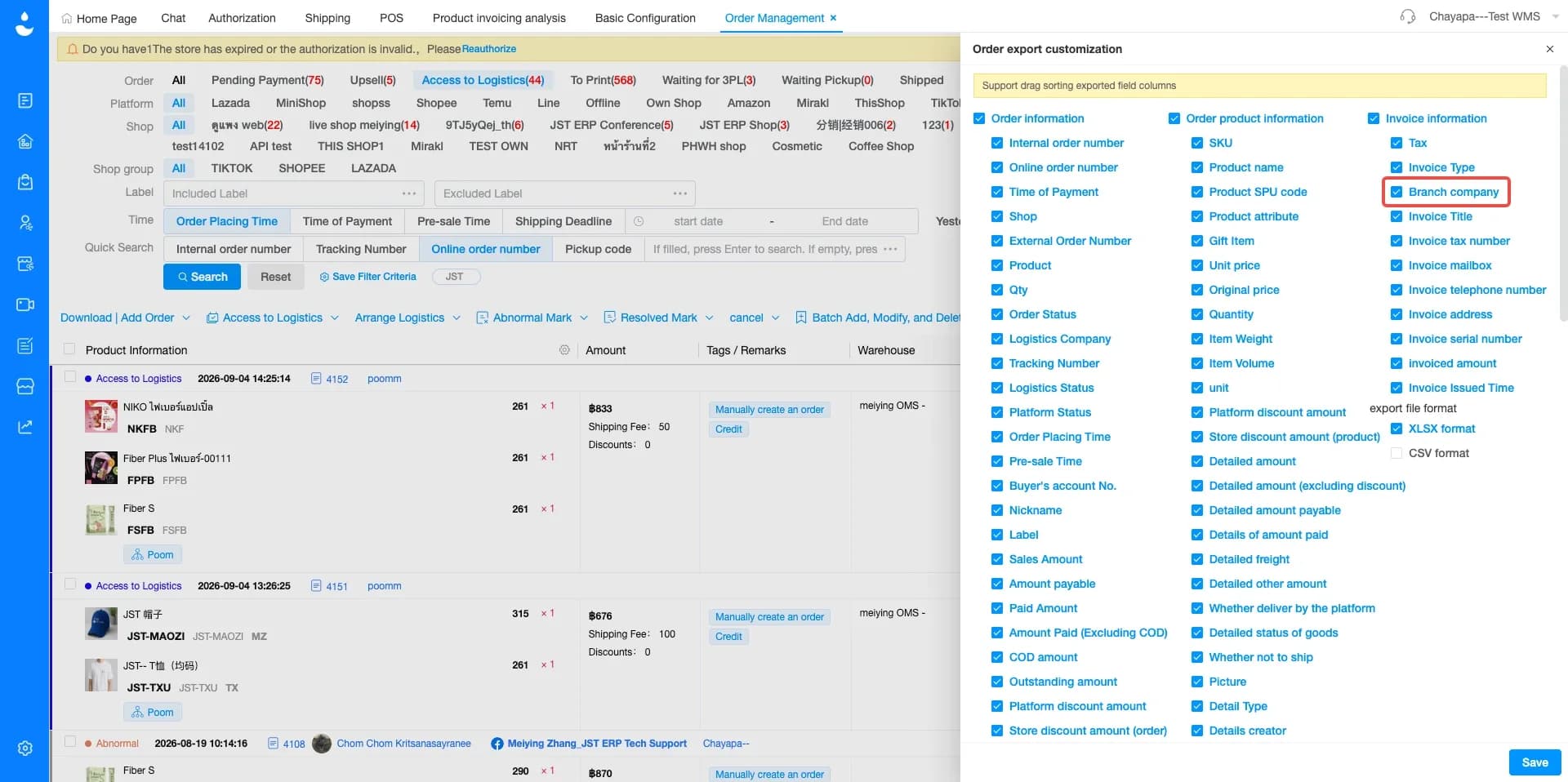
2. Customized order exports now support branch company information
Menu: Order Management › Order Export Customization
Added Branch Company as an available field within customized order exports. Users can now include branch information when configuring the order data they want to download to Excel.
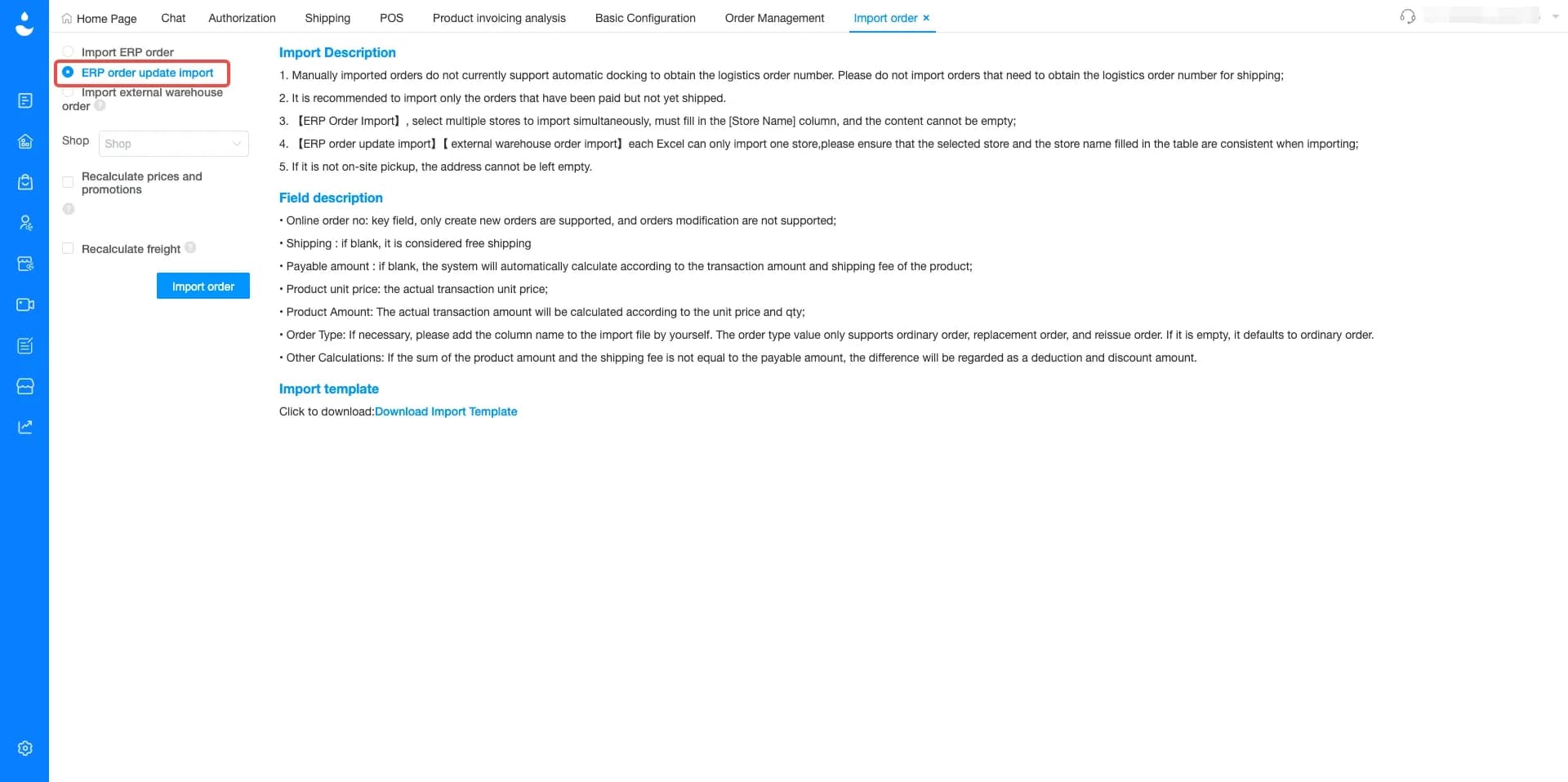
3. ERP order import now supports updating and adding product details
Menu: Import Order › Import ERP Order
JST ERP has enhanced the ERP order import function by adding a "Product Quantity" field to the import template. Users can now import product information using "Product SKU" and "Quantity" when updating ERP orders.
If the imported product already exists within the order, the existing product details will be updated using the newly imported information. If the product does not currently exist within the order, the system can add it as a new product line. Any newly added product must already exist within JST ERP product data and must be a product type supported by the system.
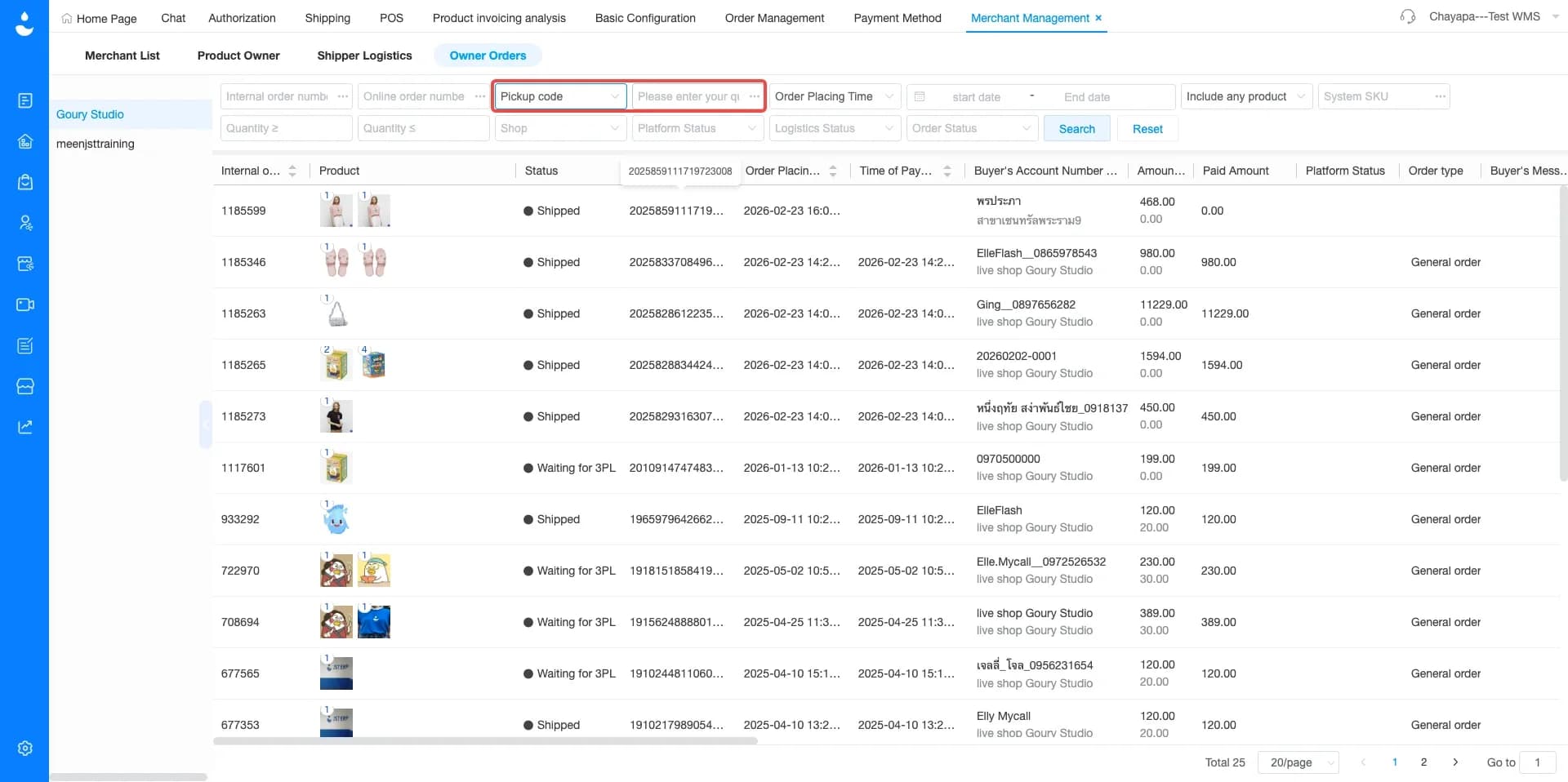
4. Owner orders now support pickup code filtering
Menu: Merchant Management › Owner Orders
Added Pickup Code as a search option within Owner Orders. Users can now enter a Pickup Code to directly locate the related order instead of relying only on other order information. When teams already have the Pickup Code available during an operational process, they can use it immediately to find the relevant order.
The update is especially useful in workflows where Pickup Code is commonly used as a reference during order processing or communication between teams.
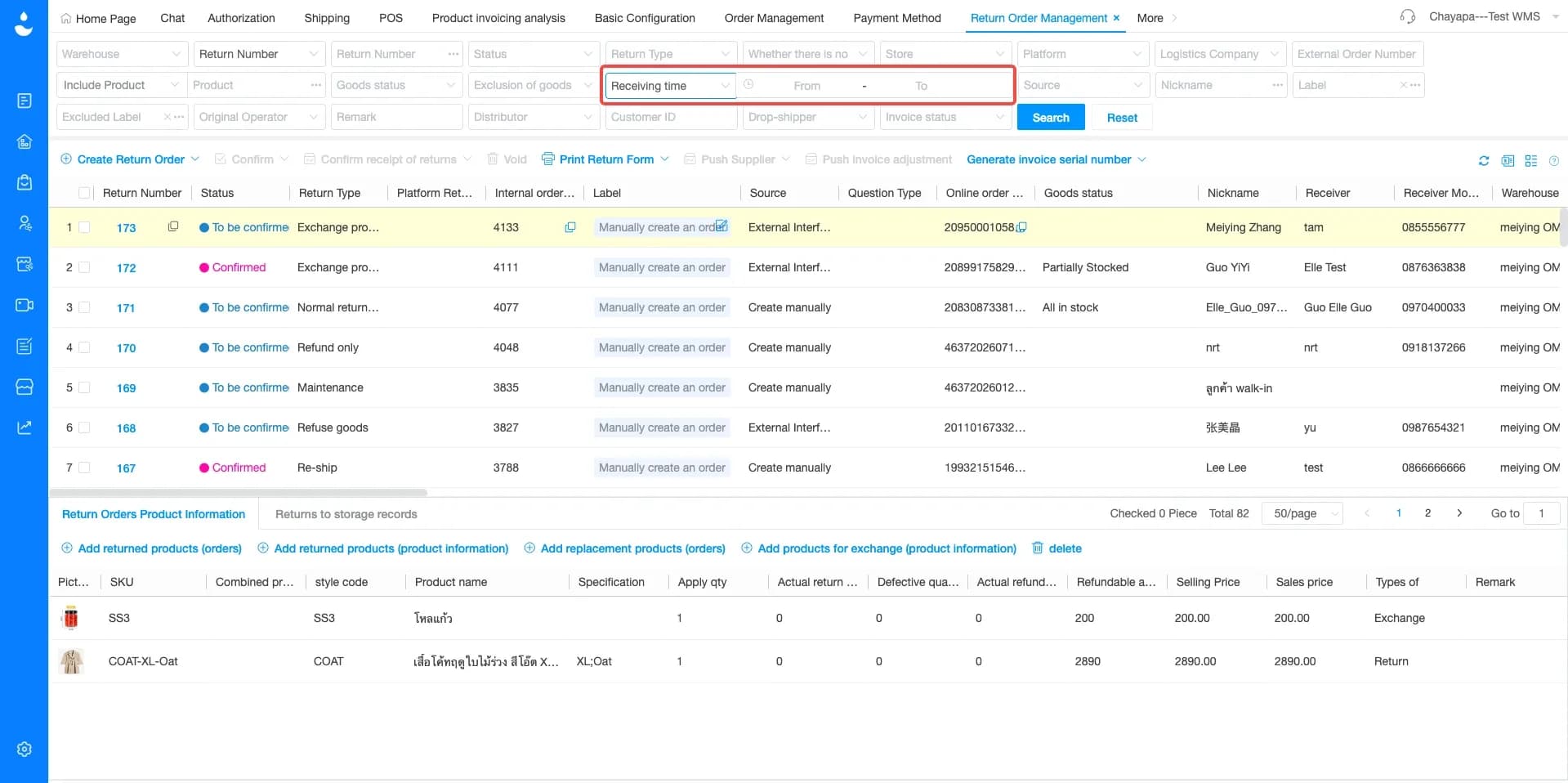
5. Return order management now supports confirmed inbound time filtering
Menu: Return Order Management
Added Confirmed Inbound Time as a new search condition within Return Order Management. Users can now search return records based on the time when returned products were confirmed as received into the warehouse.
The same information has also been added to exported data, allowing teams to review Confirmed Inbound Time after downloading return records.
6. Wave shipping rules now support custom regions
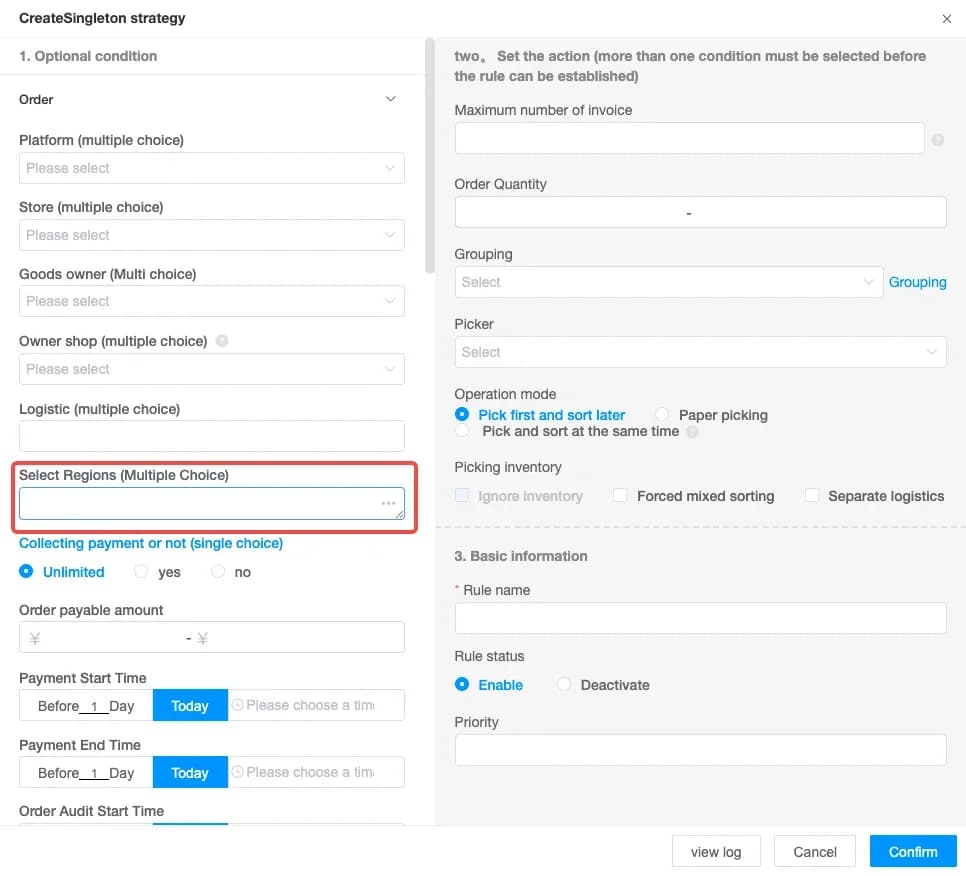
Menu: Wave Shipping › Create Wave Strategy
JST ERP has enhanced region configuration within Wave Shipping rules by allowing users to manually define address areas or regions. Businesses can now enter customized region information based on their own operational requirements rather than relying only on existing region options.
7. Wave shipping supports custom warehouse location picking priority
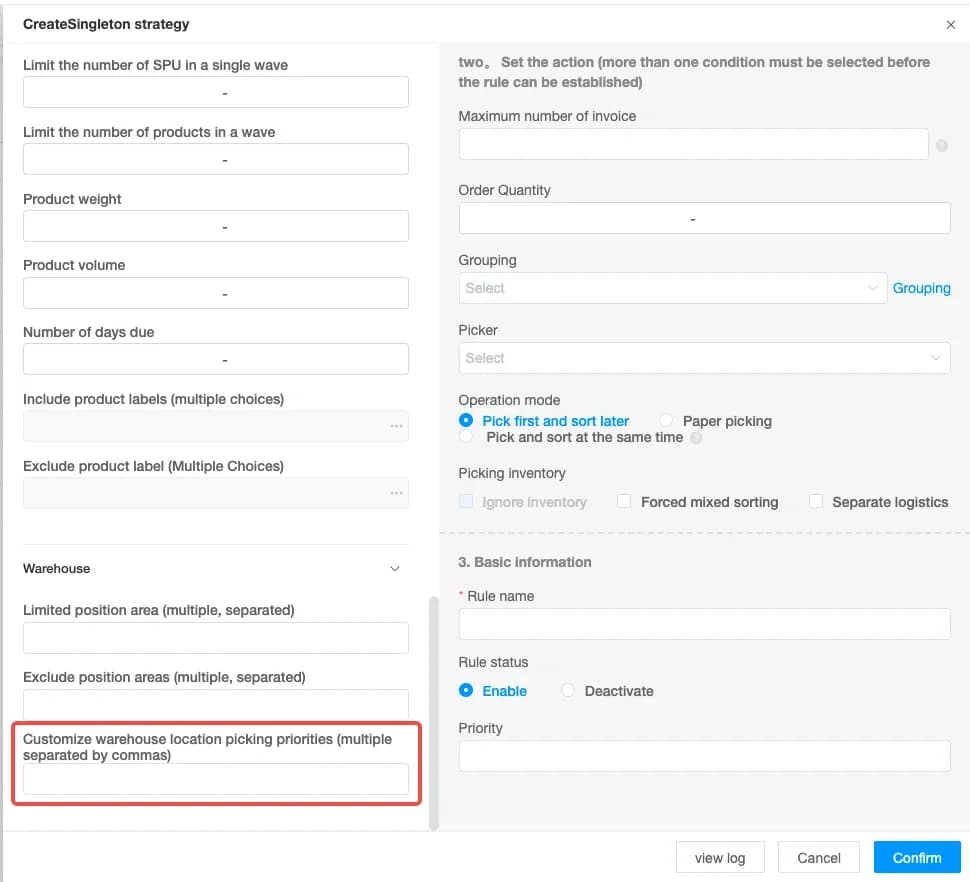
Menu: Wave Shipping › Create Wave Strategy
JST ERP now allows businesses to define custom warehouse location priorities for picking within Wave Shipping rules. When a custom picking priority is configured, the system will first consider the warehouse location order specified within the Wave Shipping rule.
The complete priority order is: Wave rule custom warehouse location picking priority › Warehouse data area priority › Production expiration date (first-to-last to expire, first-out) › Warehouse location code order
8. PDA segmented picking now supports starting location scanning
Menu: PDA › Picking
JST ERP has added a starting warehouse location scanning page to PDA picking for segmented picking workflows. Before entering the actual picking page, warehouse staff can now confirm the starting location used for their section of the picking process.
- For the first operator, the system automatically uses the first warehouse location as the starting point.
- For the next operator, the starting location is based on the ending location of the previous operator. The next operator scans the relevant picking position before continuing the task.
The improvement helps segmented picking follow a more continuous sequence and makes the starting point for each operator easier to identify.
9. Product invoicing analysis now displays document remarks
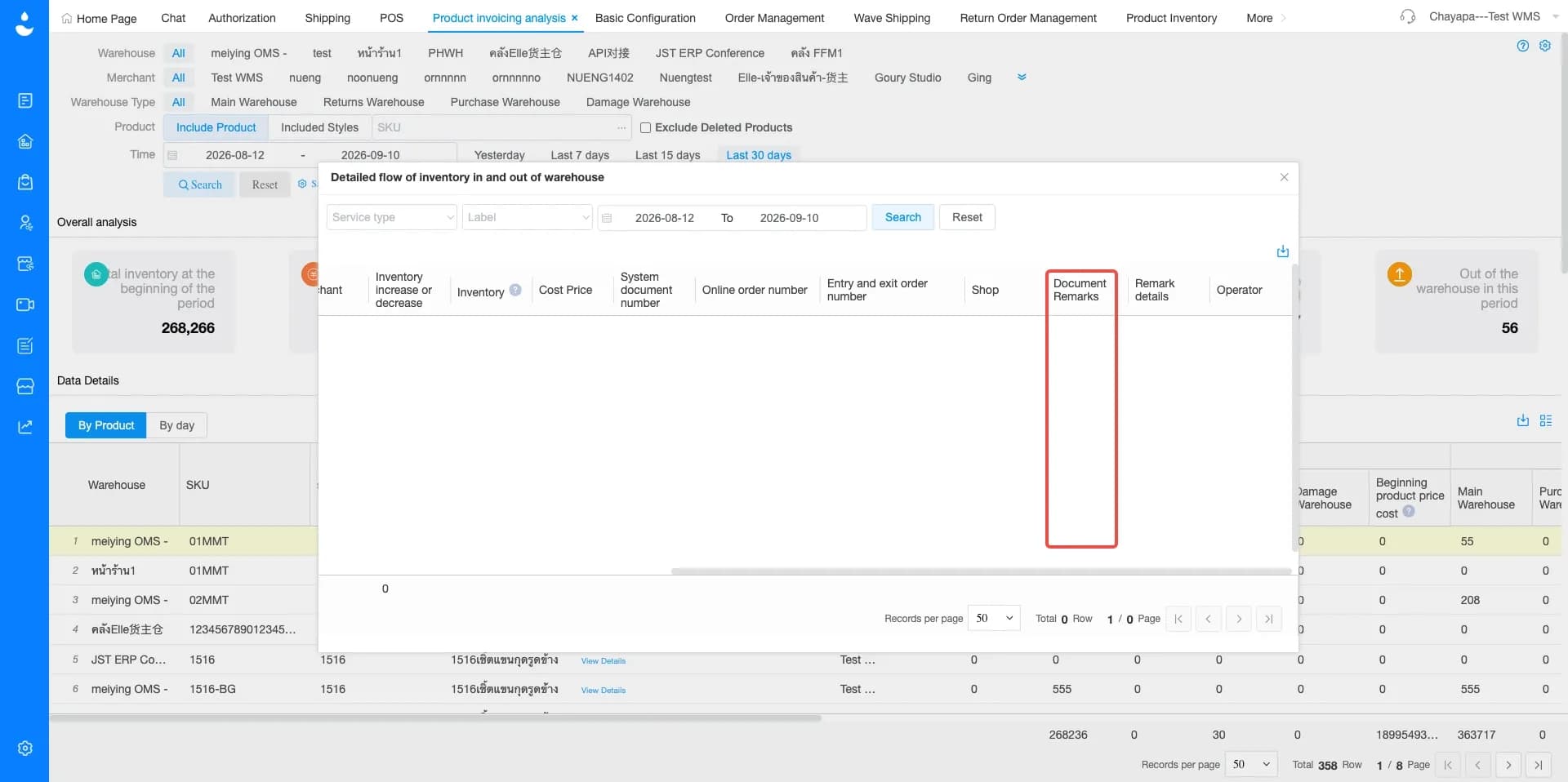
Menu: Product Invoicing Analysis › Add document remarks
JST ERP has added Document Remarks to Product Invoicing Analysis. Users can now view remarks associated with relevant documents directly alongside the other information displayed in the analysis.
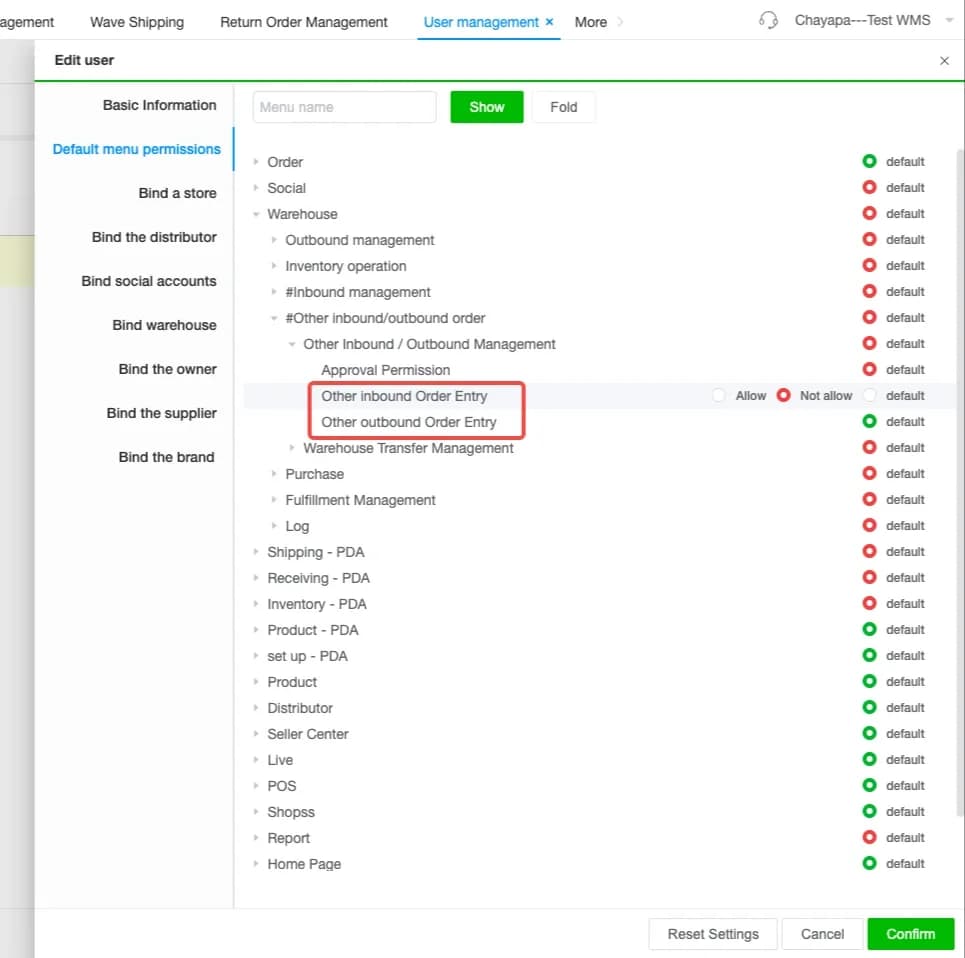
10. User permissions now cover other inbound and outbound document creation
Menu: Users and Permissions
JST ERP has expanded permission controls for Other Inbound and Other Outbound operations. Administrators can now control permission to create other inbound documents and Other Outbound documents.
11. User permissions now support shipping label reprint controls
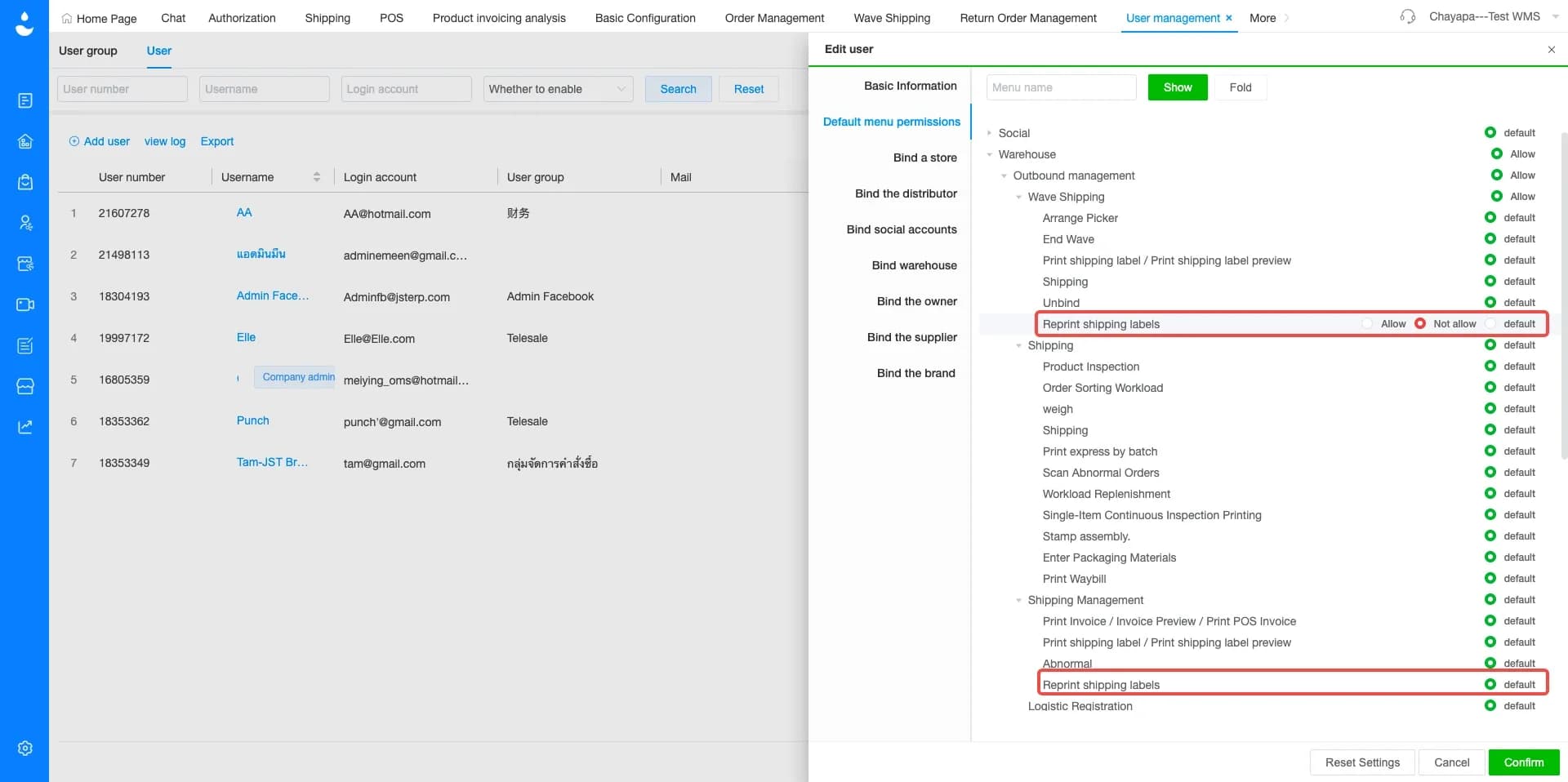
Menu: Users and Permissions
JST ERP has added a Reprint Shipping Label permission for relevant shipping management modules. Administrators can now determine which users are allowed to reprint shipping labels within Wave Management and Shipment Order Management.
12. POS orders and platform seller own fleet orders support shipment cutoff time
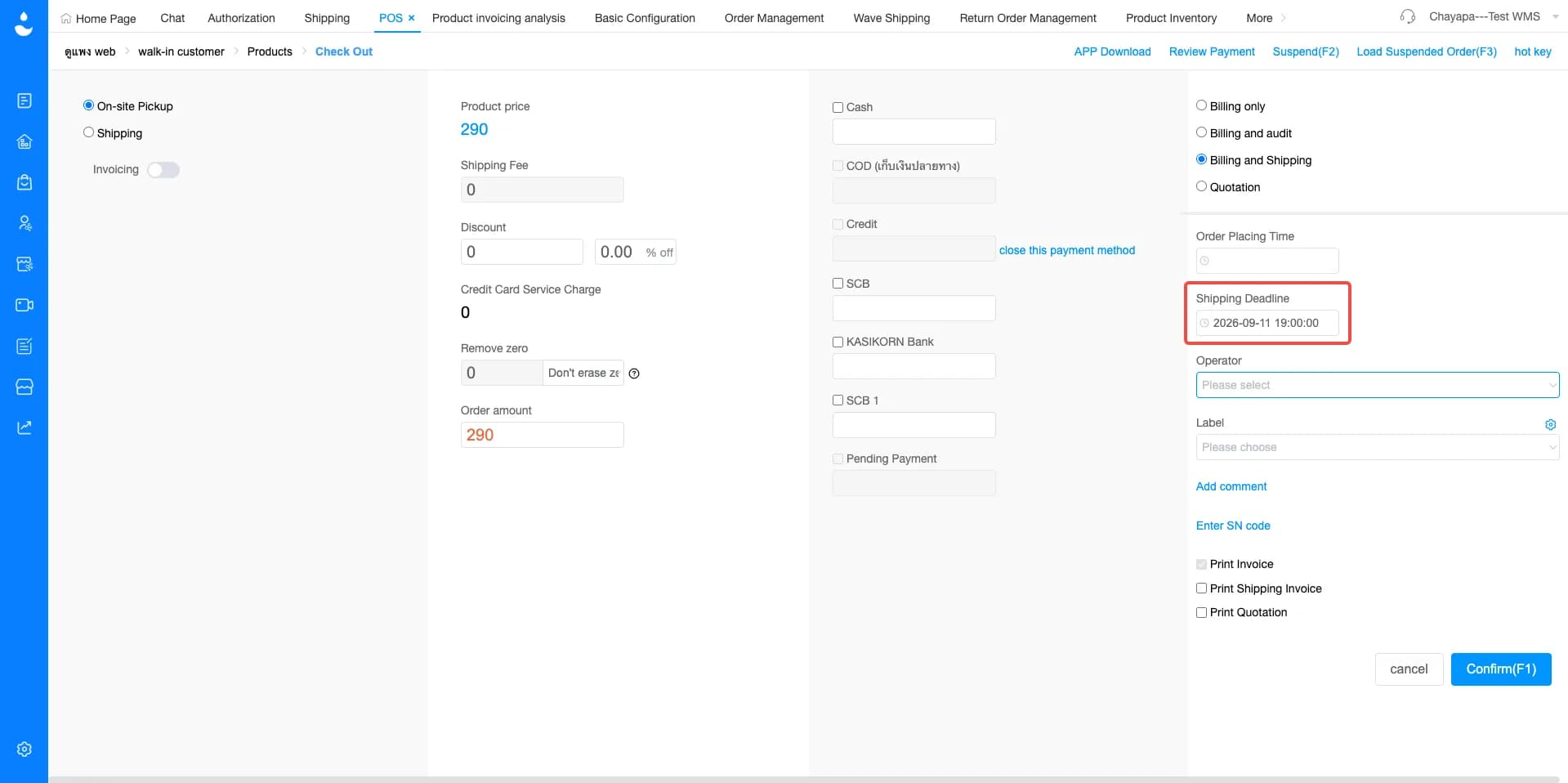
Menu: POS › Order Management
JST ERP now supports setting a shipment cutoff time when creating POS orders. The defined delivery deadline will also be displayed in Order Management for POS orders and supported platform seller own fleet orders.
This means teams can record an expected shipment deadline when creating an order and allow employees handling the order later in the process to see the same information.
If you're looking for a system to help manage orders, inventory, and warehouse management in one place, JST ERP is designed to support growing online businesses.
Interested in learning more? Get a free consultation with our team.
Leave your information in the form below and our team will contact you shortly.
👉🏻 Click here 👈🏻
JST ERP Together, Empowers You