-2-1600x800.webp&w=3840&q=75)
JST ERP New Feature Updates in August 2026 | 24.08.2026
Efficient warehouse operations depend not only on speed but also on the ability to review information accurately and trace each step of the workflow when needed. This update focuses on improving several everyday warehouse processes, including stock counting, label printing, and inventory transfers between warehouses.
These improvements help reduce unnecessary repeated work, provide clearer operational information, and make warehouse processes easier to manage and review.
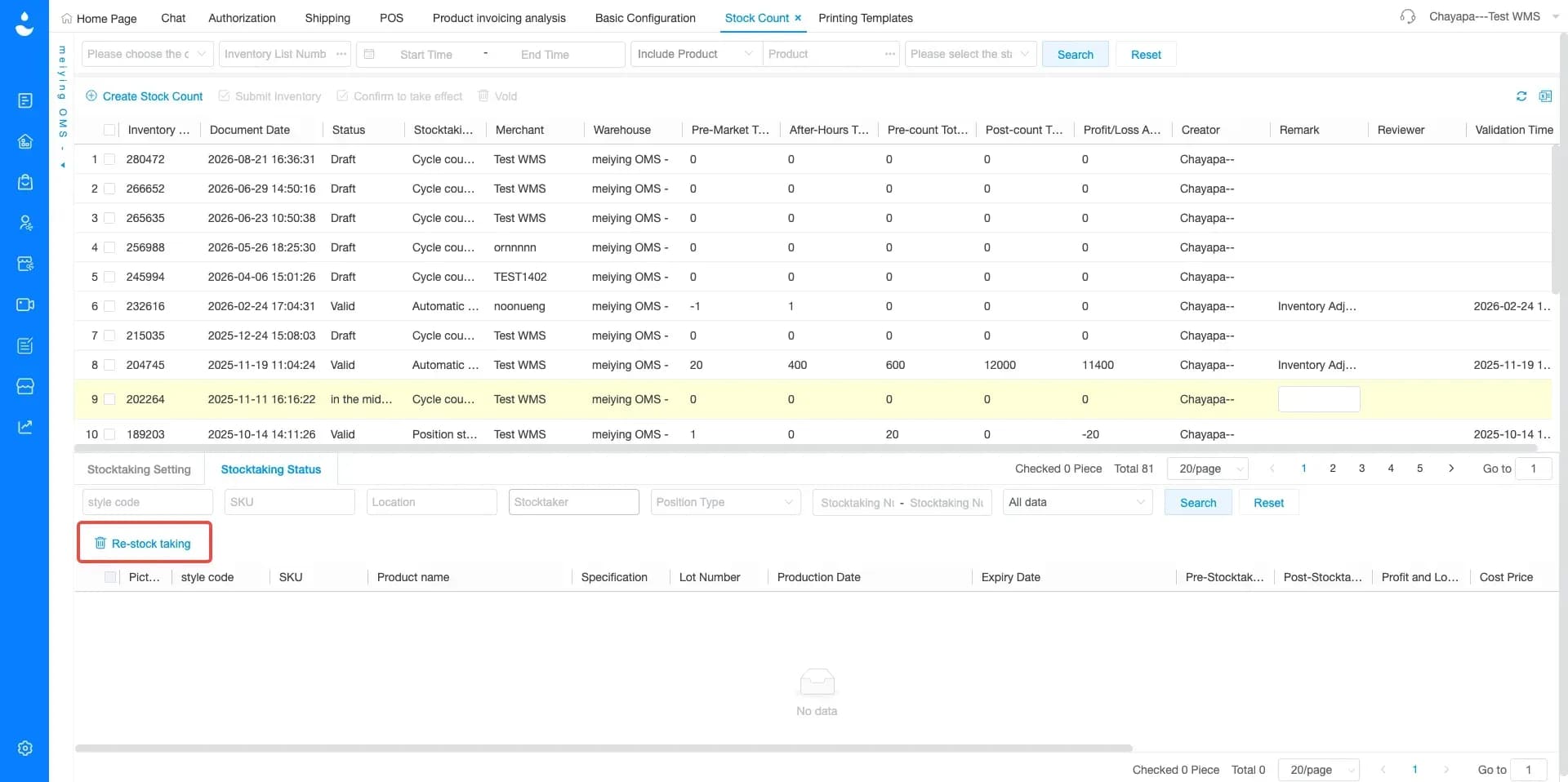
1. Stock Count Now Supports Product Based Recounting
Menu: Stock Count > Stock Count Task
JST ERP now allows users to select specific products for recounting within the same stock count task. With this update, users can select only the products that need to be counted again and perform the recount without restarting the entire stock count task.
This helps reduce the amount of repeated work and allows staff to spend more time investigating actual discrepancies rather than recounting items that have already been verified. The improvement is particularly useful for warehouses managing large product catalogs or frequent stock count activities.
By making recounting more flexible, warehouse teams can resolve stock differences more quickly and maintain more accurate inventory information for subsequent warehouse and order operations.
2. Printed Assembly Templates Now Support Order and Print Sequence Numbers
Menu: Printing Templates > Printed Assembly Printing
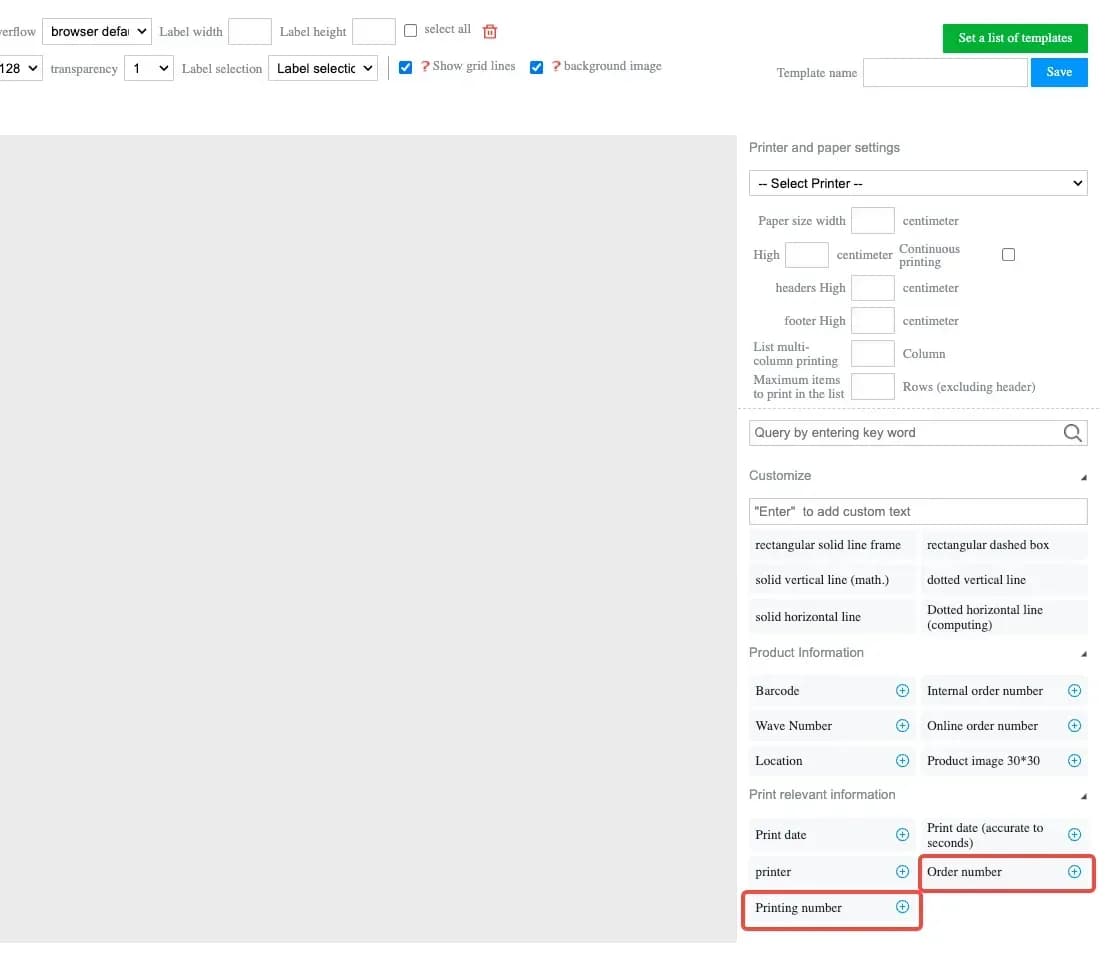
JST ERP has added Order Sequence Number and Print Sequence Number fields to the printing configuration for assembly labels. Merchants can now choose to include these fields in their printing templates and arrange the information according to their operational requirements.
- Order Sequence Number: represents the Seed Bin Number
- Print Sequence Number: shows the position of each printed item compared with the total number of printed items within the same order. For example, if one order requires three labels, the system can display 1/3, 2/3, and 3/3. This allows staff to immediately identify the sequence of each label and confirm how many labels belong to the order.
This enhancement helps merchants distinguish and manage multiple printed items belonging to the same order more efficiently during picking, sorting, and packaging operations
3. Transfer Out Records Now Display Inspector Information
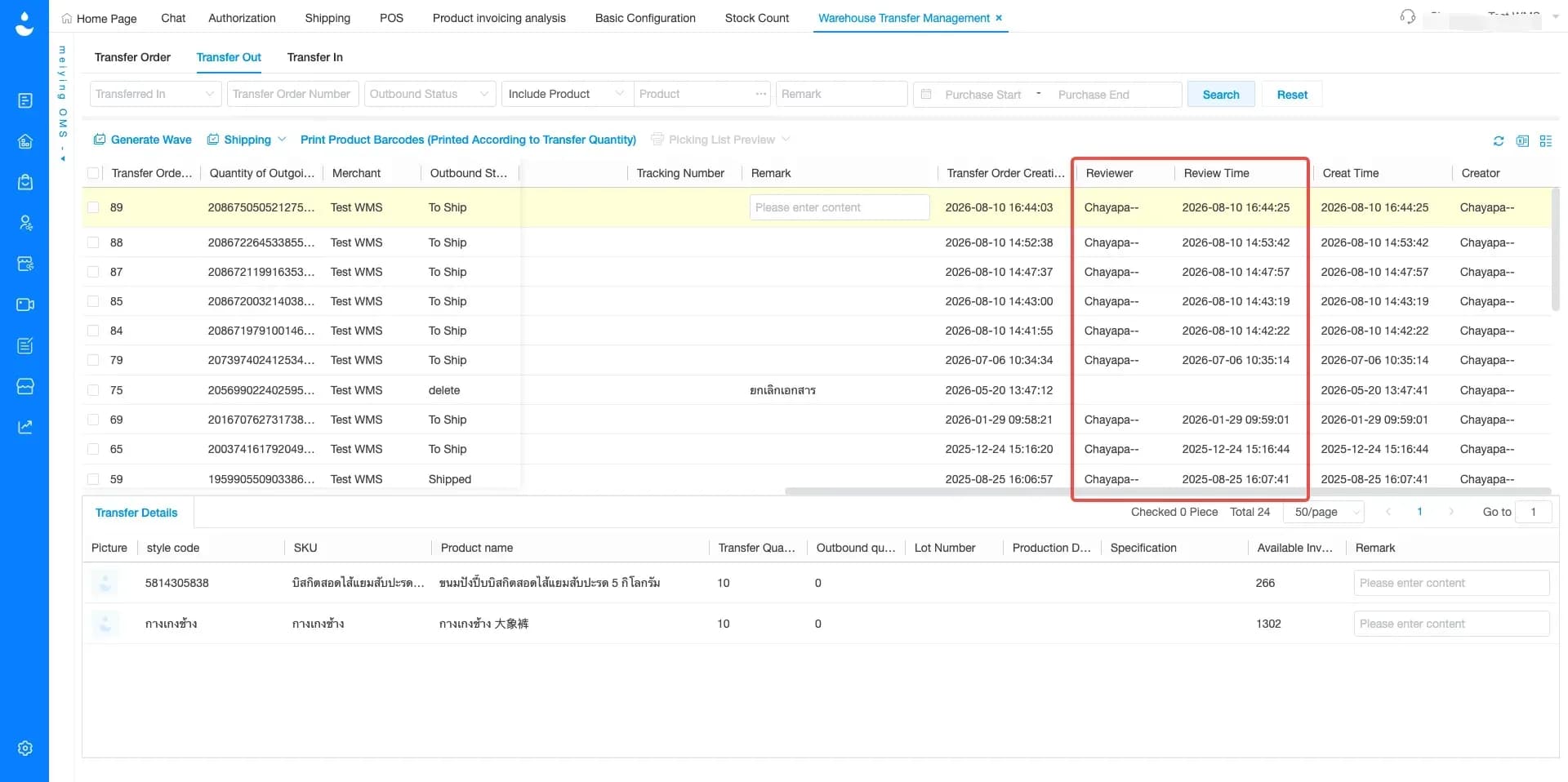
Menu: Warehouse Transfer Management > Transfer Out
JST ERP has added two new fields to Transfer Out records, including Reviewer and Review Time. These fields allow users to see who reviewed the products before the transfer out process was completed and when the review took place.
By displaying the reviewer directly in the transfer out information, warehouse teams can more easily identify the person responsible for checking the goods. The Review Time field also provides a clear record of when the inspection was completed. This makes transfer out information more complete and provides additional details for reviewing warehouse activities when required.
If you're looking for a system to help manage orders, inventory, and warehouse management in one place, JST ERP is designed to support growing online businesses.
Interested in learning more? Get a free consultation with our team.
Leave your information in the form below and our team will contact you shortly.
👉🏻 Click here 👈🏻
JST ERP Together, Empowers You