
JST ERP New Feature Updates in March 2026 | 17.03.2026
Staying efficient as your business grows requires tools that keep up with your operations. This week’s JST ERP updates focus on improving accuracy, simplifying warehouse workflows, and giving you better control over product and order management.
Here’s what’s new:
1. Purchase Order Management
- Purchase Order Print Template Enhancement
Menu: Purchase > Print Purchase Order
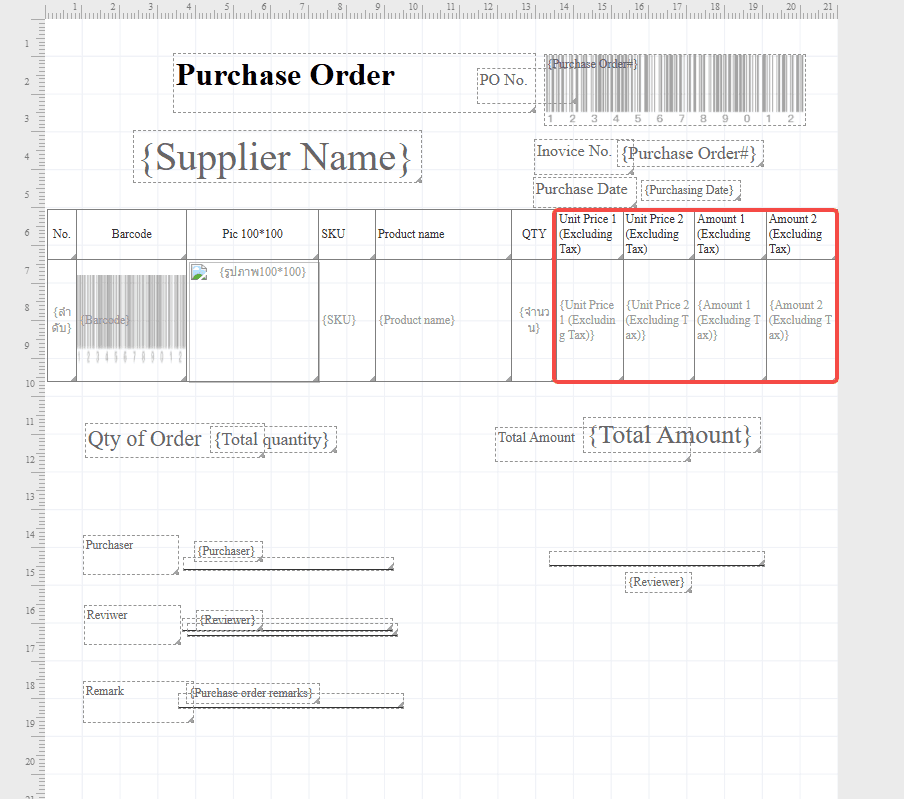
The Purchase Order print template has been enhanced with new Unit Price and Amount fields. The template now supports displaying values in both 2 and 4 decimal places, allowing businesses to handle pricing with greater precision and maintain more standardized purchase documents, especially when dealing with detailed cost structures.
Field details:
- Unit Price 1 (Excl. Tax): 4 decimal places
- Amount 1 (Excl. Tax): 4 decimal places
- Unit Price 2 (Excl. Tax): 2 decimal places
- Amount 2 (Excl. Tax): 2 decimal places
- Cost Price Synchronization Optimization
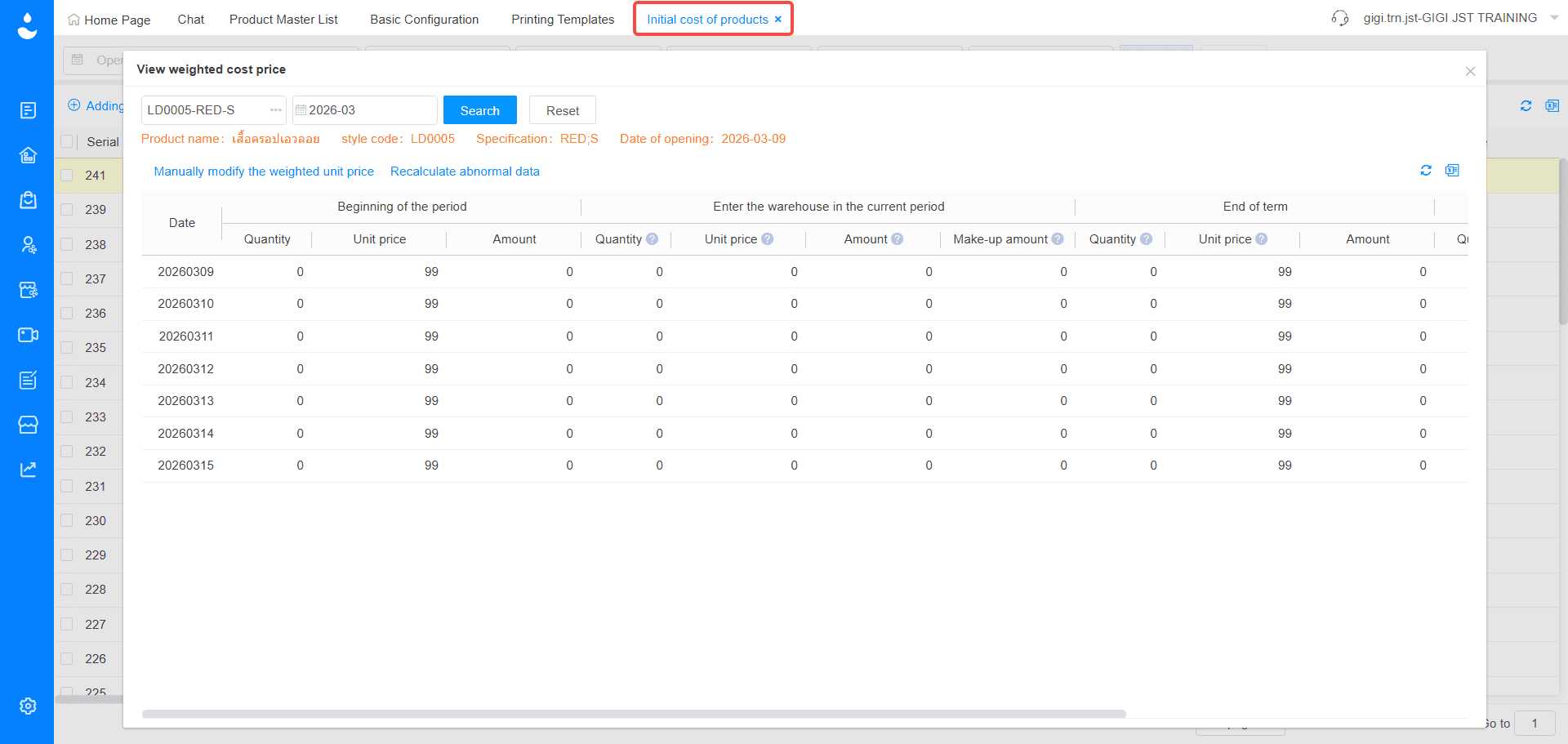
Menu: Initial Cost of Products / Purchase Inbound Order
The system has improved how cost prices are calculated for purchase inbound orders. Instead of pulling cost data from the purchase order, it now uses the actual inbound cost from the Purchase Inbound Order, helping ensure that inventory valuation reflects real costs more accurately and reduces discrepancies in stock records.
- Default Receiving Warehouse Optimization
Menu: Purchase > Purchase Order Management
When creating a purchase order, the receiving warehouse is now automatically selected by default, and goods will be received directly into that warehouse. Even if the product has not yet been listed, the order can still be reviewed and approved, making the inbound process smoother and reducing delays in purchasing operations.
2. Warehouse Management
- Available Quantity Sorting Function
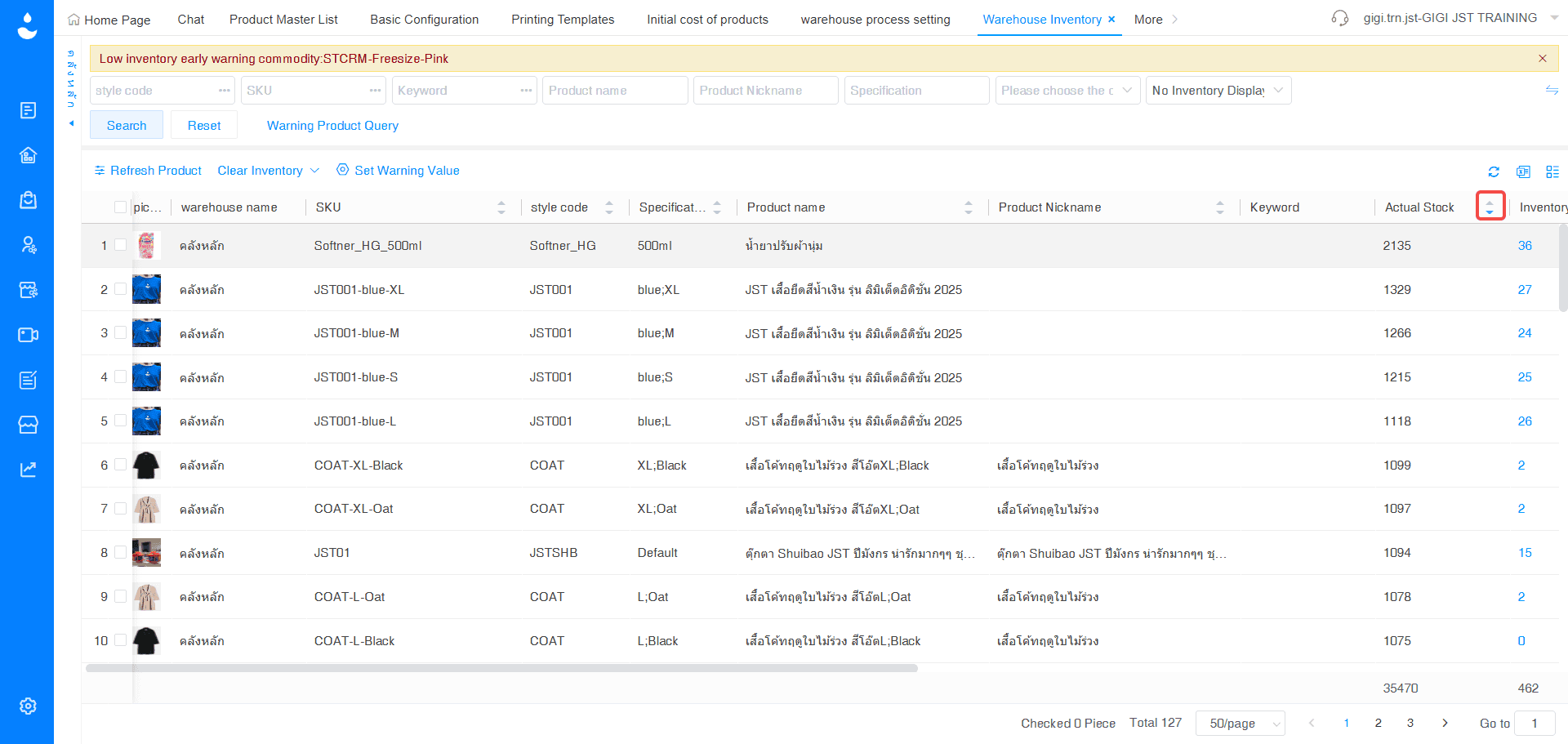
Menu: Warehouse Management > Warehouse Inventory
A new Available Quantity sorting feature has been added to the Warehouse Inventory page. You can now sort stock levels in ascending or descending order, making it easier to quickly identify products with low or high availability and take action faster when managing inventory.
- Product Unit Display & Export in Zone Inventory
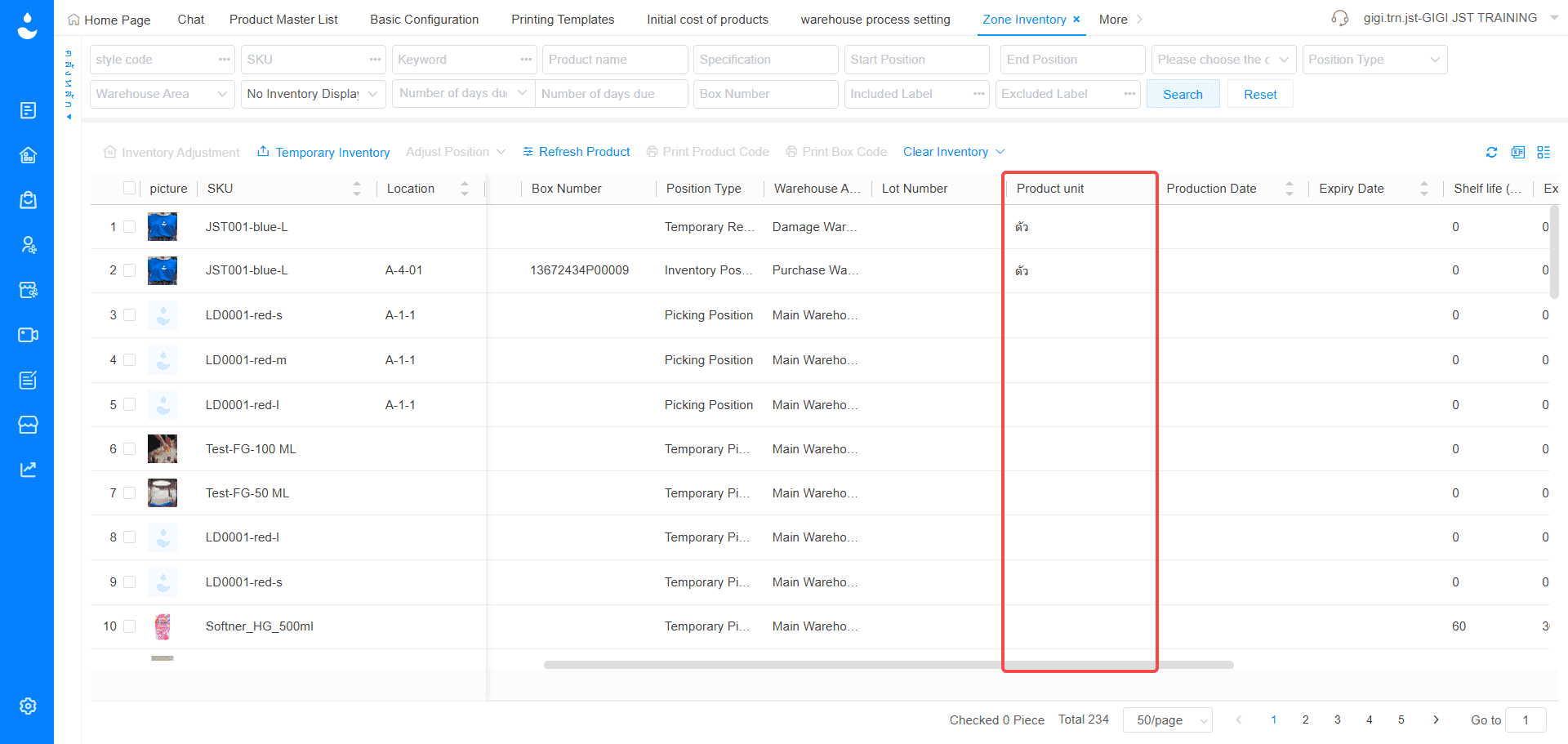
Menu: Warehouse Management > Zone Inventory
The system now includes a Product Unit field in the Bin Location Inventory list for display. This information is also available when exporting data, providing clearer and more complete inventory details that support warehouse operations and simplify stock reconciliation.
3. Print Updates
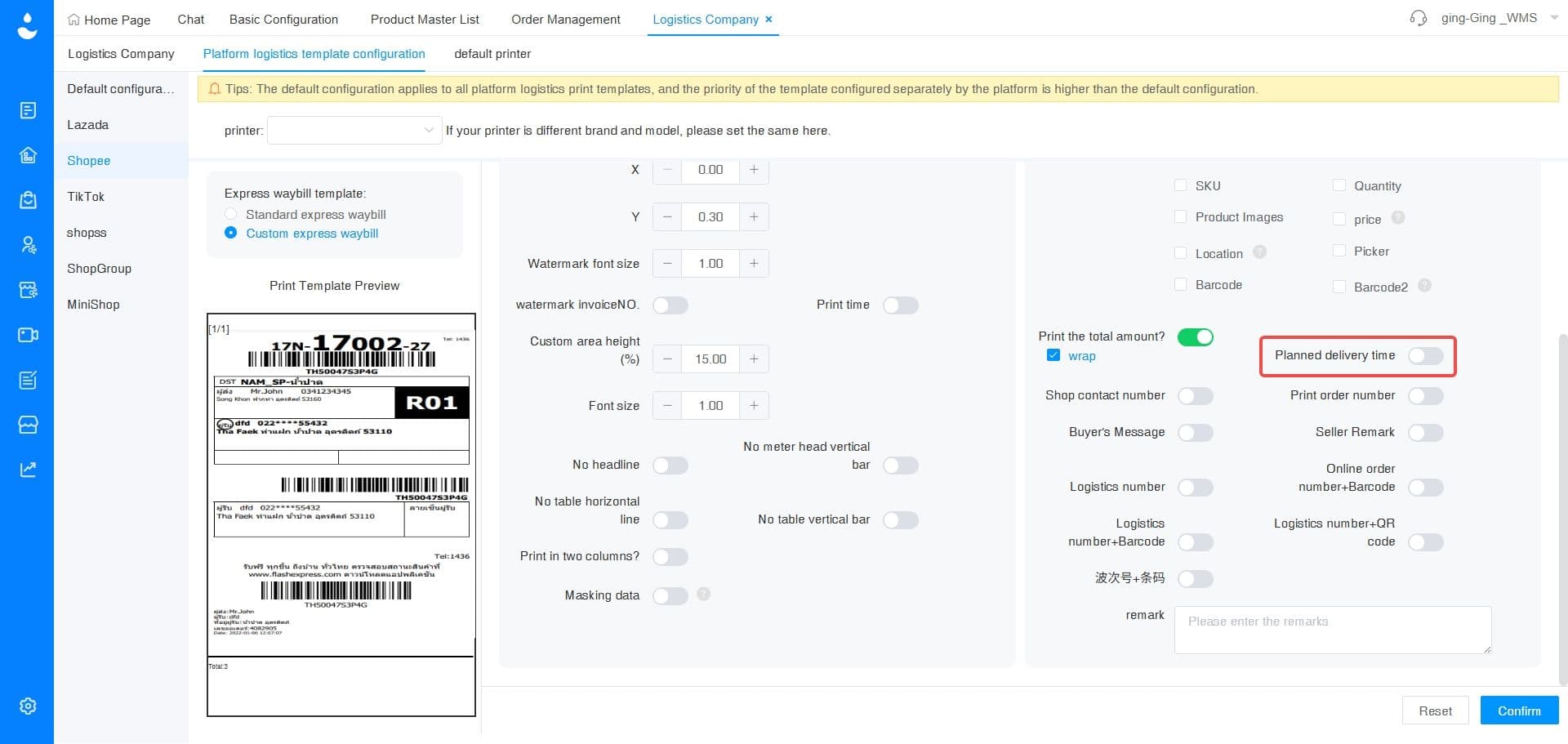
- Shipping Deadline Display on Logistics Template
Menu: Logistics > Platform Logistics Template Configuration
The platform logistics template now supports displaying the shipping deadline when printing shipping labels. This allows warehouse teams to clearly see which orders need to be shipped first, making it easier to prioritize urgent orders and manage daily fulfillment more efficiently.
4. Warehouse Information Updates
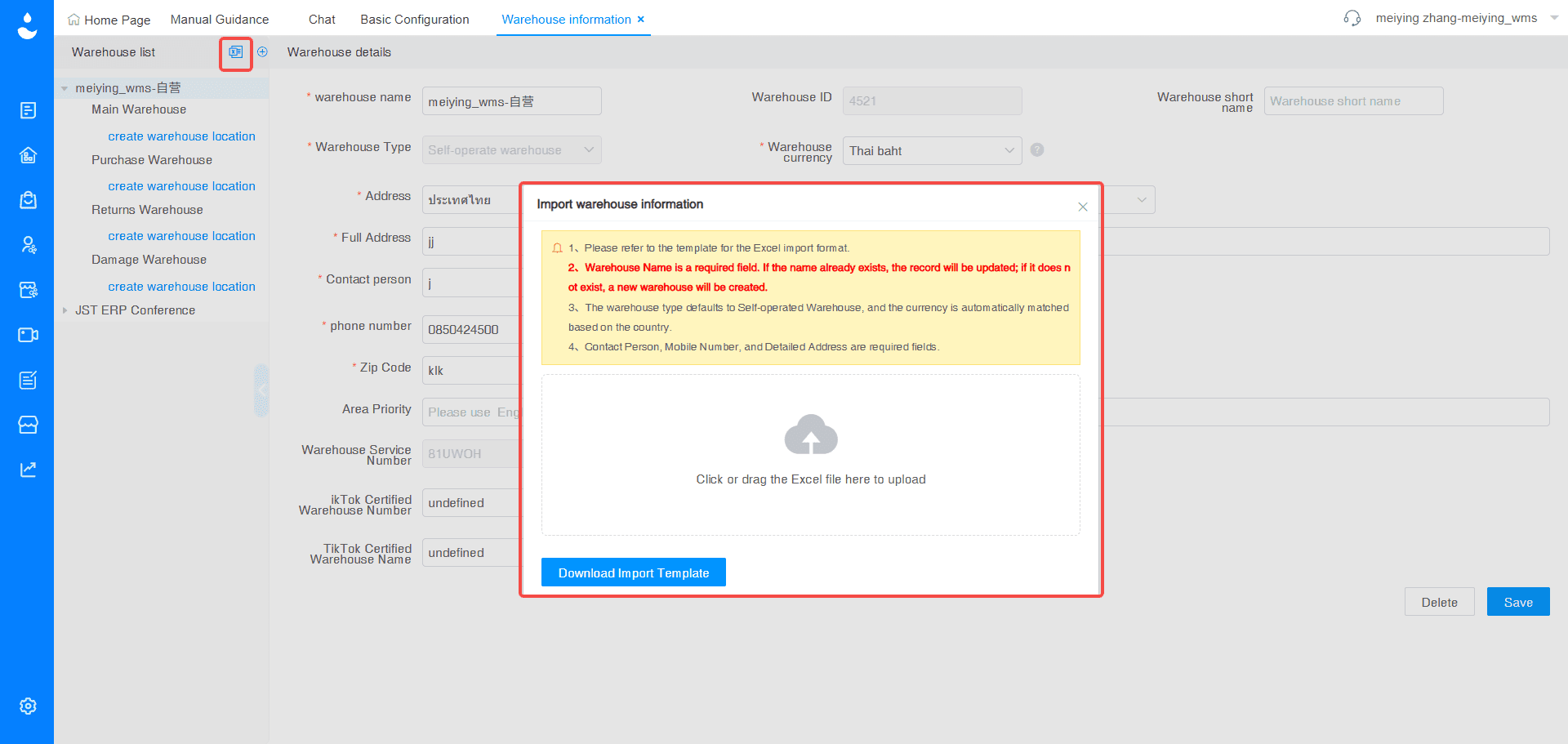
- Warehouse List Import Template
Menu: Setup > Basic Configuration > Logistics & Printing > Warehouse Information > Warehouse List > Import
A new warehouse data import feature has been added, allowing businesses to upload warehouse information in bulk using an Excel template. With support for multiple languages, including Chinese, English, Thai, Vietnamese, and Indonesian, this makes it much faster and easier to set up or manage warehouse data, especially for growing operations.
5. Seller Center | Product Management Updates
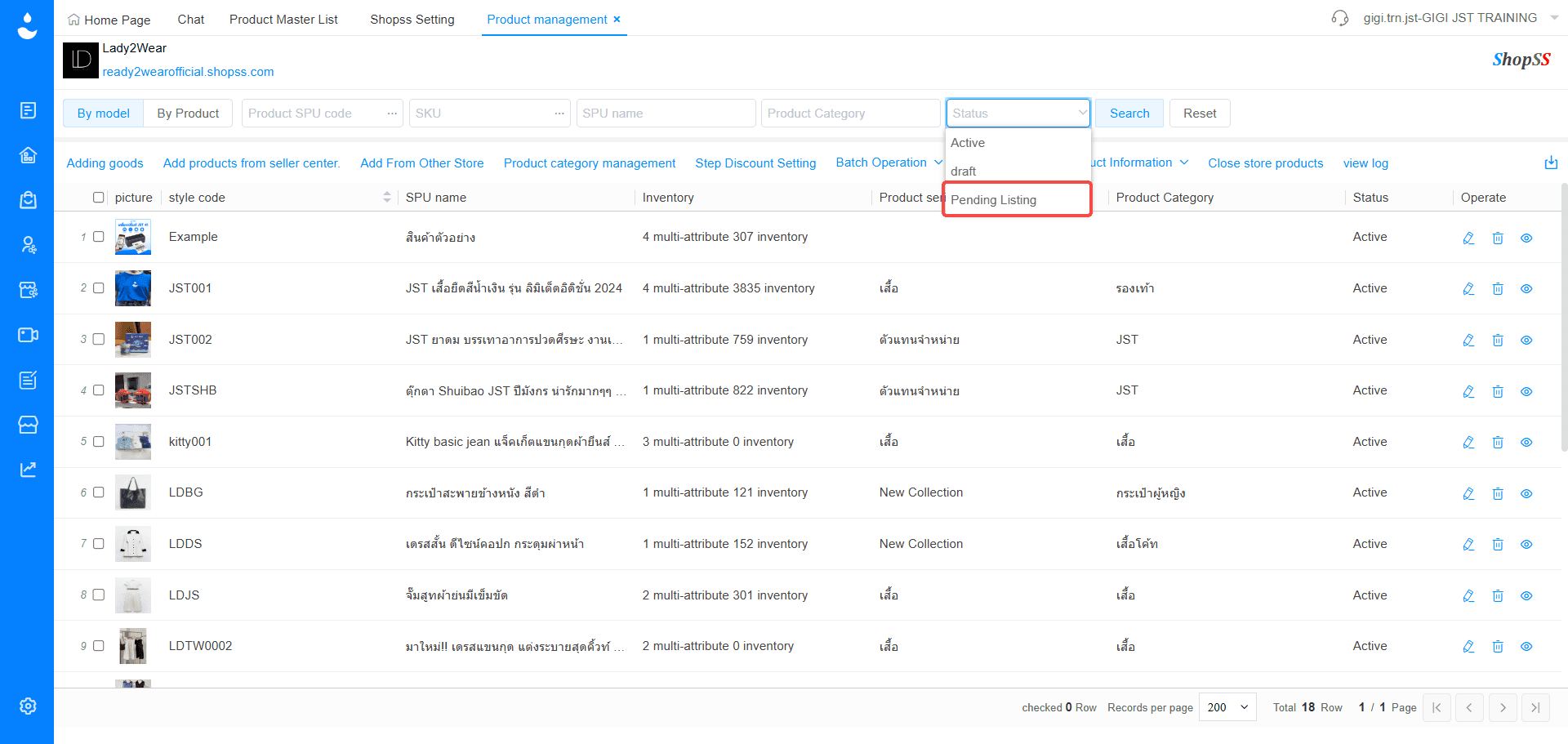
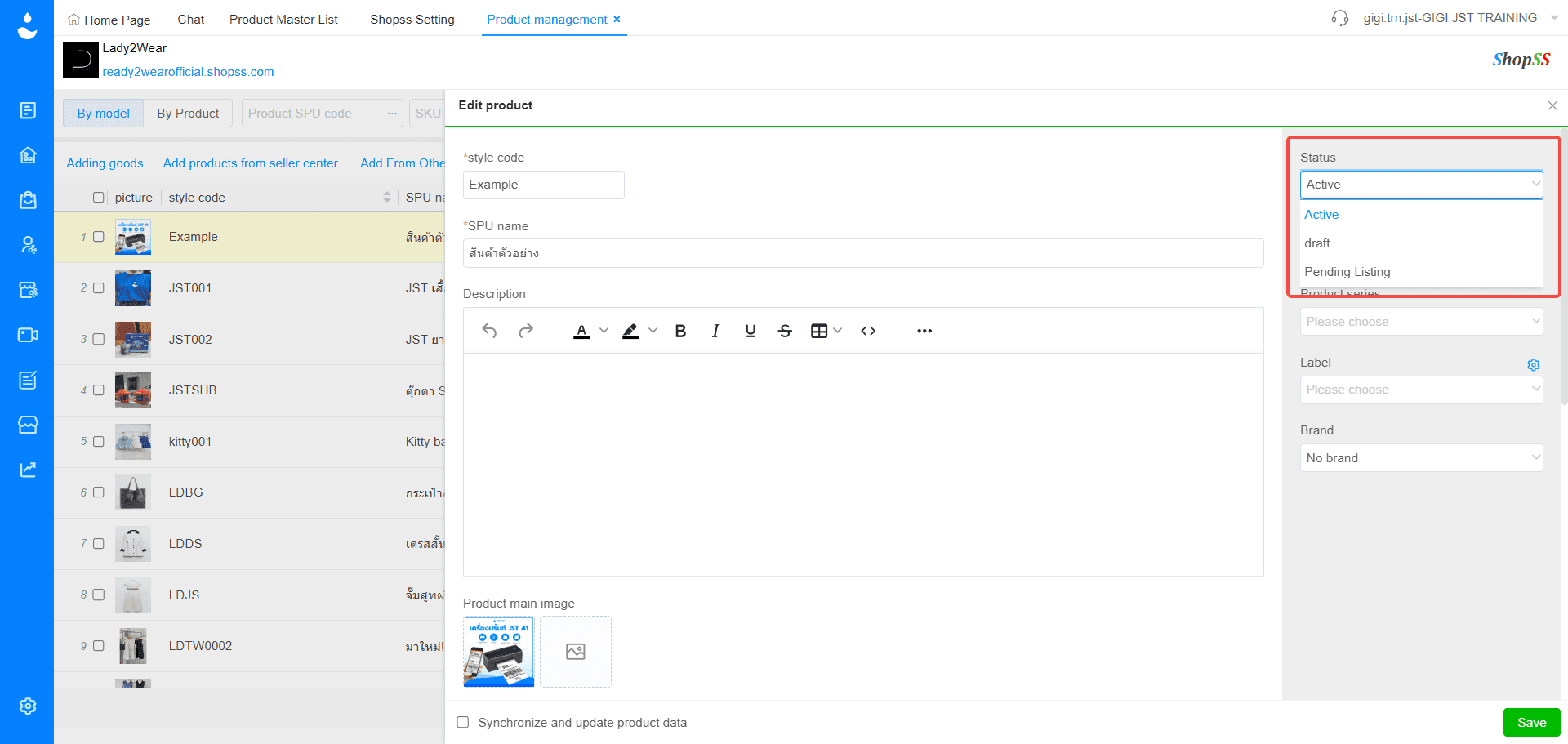
- New “Pending Listing” Status
Menu: Product Management > Shops > Store Product Details
A new product status, “Pending Listing,” has been introduced to allow better control over product visibility. This status represents an intermediate stage where a product is ready for sale but not yet displayed in the store, making it easier to manage product launches, control listings, and plan inventory more strategically.
These updates are designed to support smoother day-to-day operations by improving data accuracy, reducing manual work, and making it easier for teams to prioritize and manage tasks across purchasing, warehouse, and product management.
📌 Interested in learning more? Get a free consultation with our team.
Leave your information in the form below and our team will contact you shortly.