
JST ERP New Feature Updates in March 2026 | 09.03.2026
JST ERP continues to enhance the system to support merchants in managing your online business operations more efficiently. In this second round of March 2026 updates, several new features and improvements have been introduced across order management, logistics tracking, live selling, and printing functions.
These updates aim to improve workflow flexibility, enhance logistics visibility, and support merchants in handling high order volumes more efficiently.
Below are the latest updates introduced in this release:
1. Blibli Platform: Automatic “Pre-sale” Tag for Pre-order Orders
Menu: Order Management
The system now automatically detects PreOrder information when downloading orders from the Blibli platform.
If an order is identified as a pre-order, the system will automatically add a “Pre-sale” tag to the order.
This helps merchants quickly identify pre-order transactions and manage fulfillment timelines more effectively.
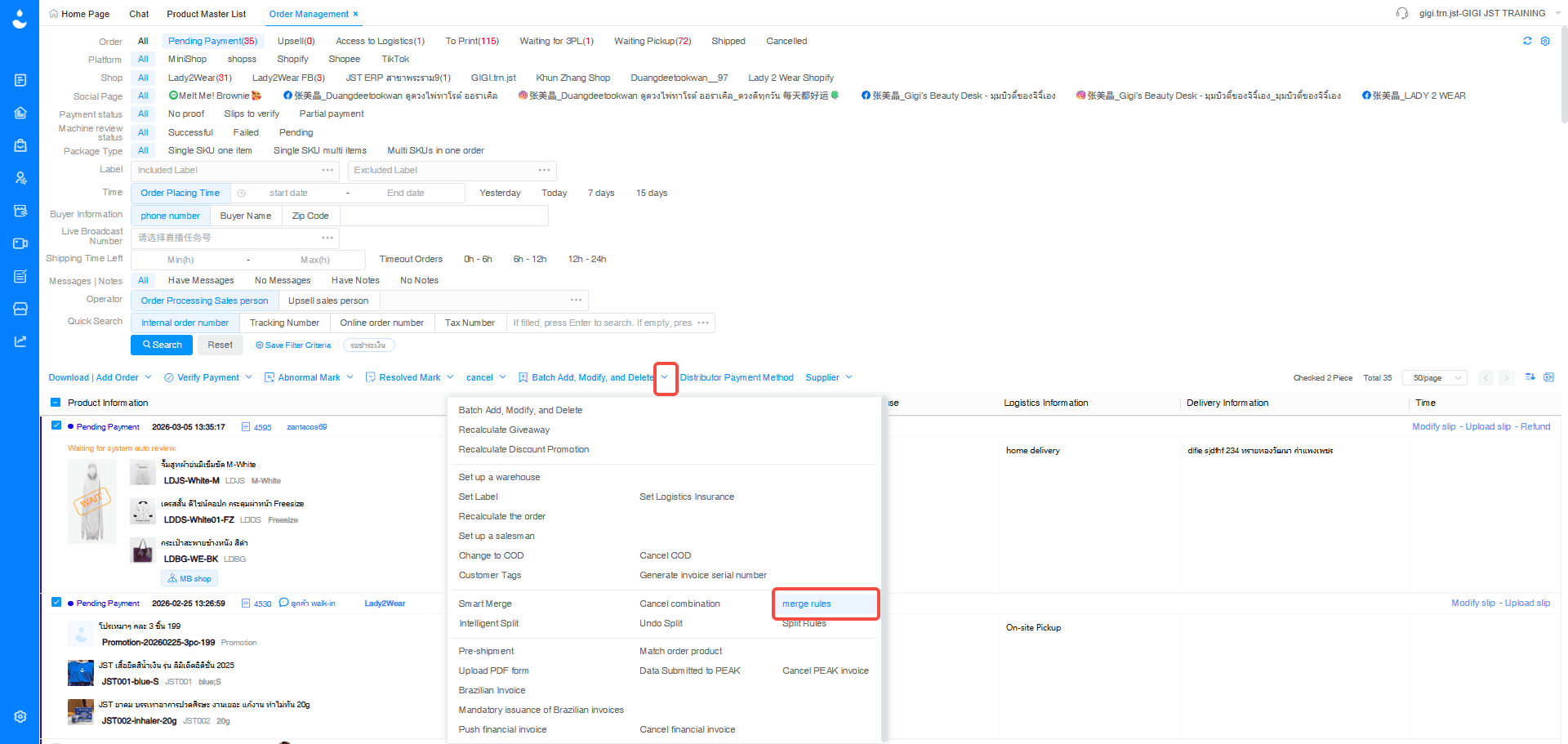
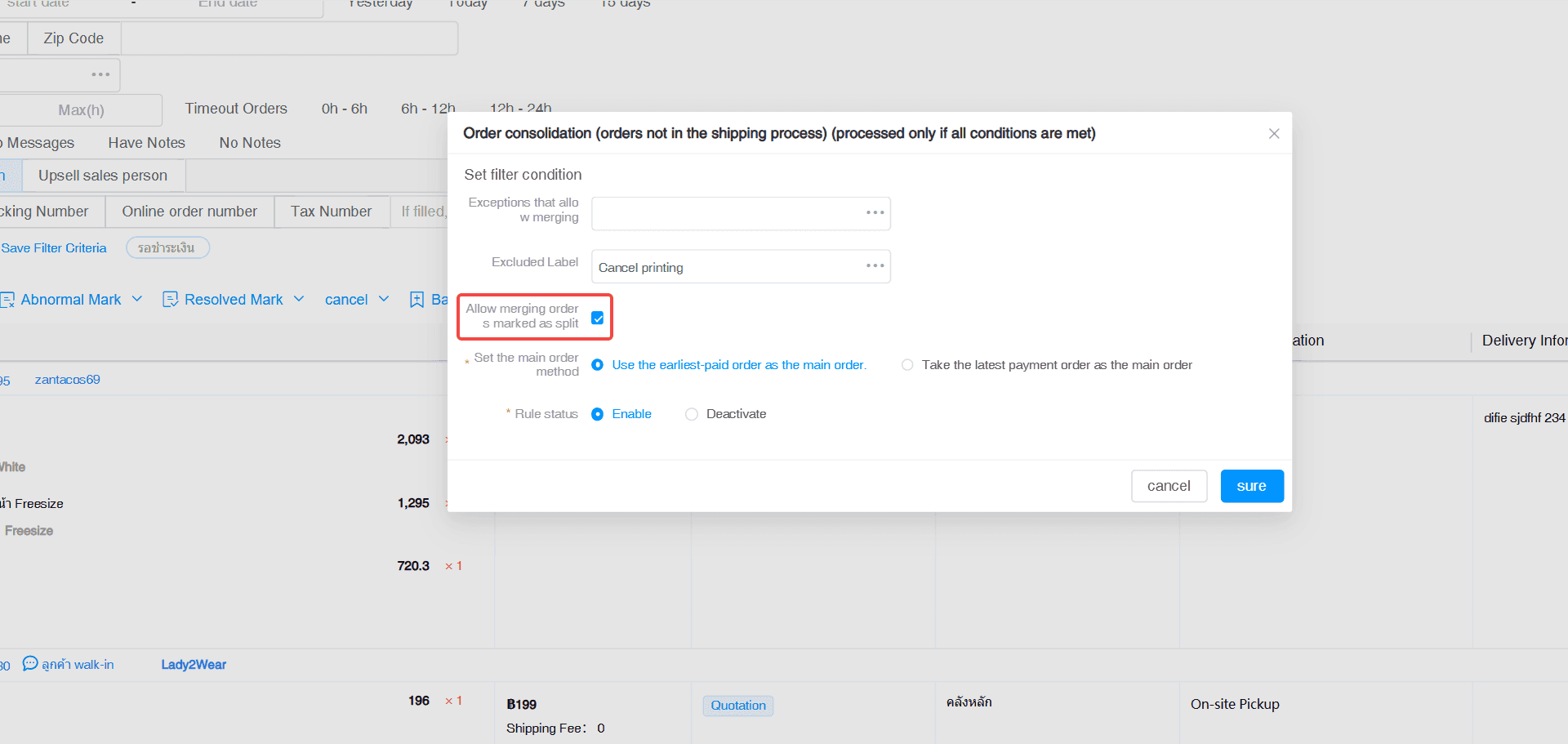
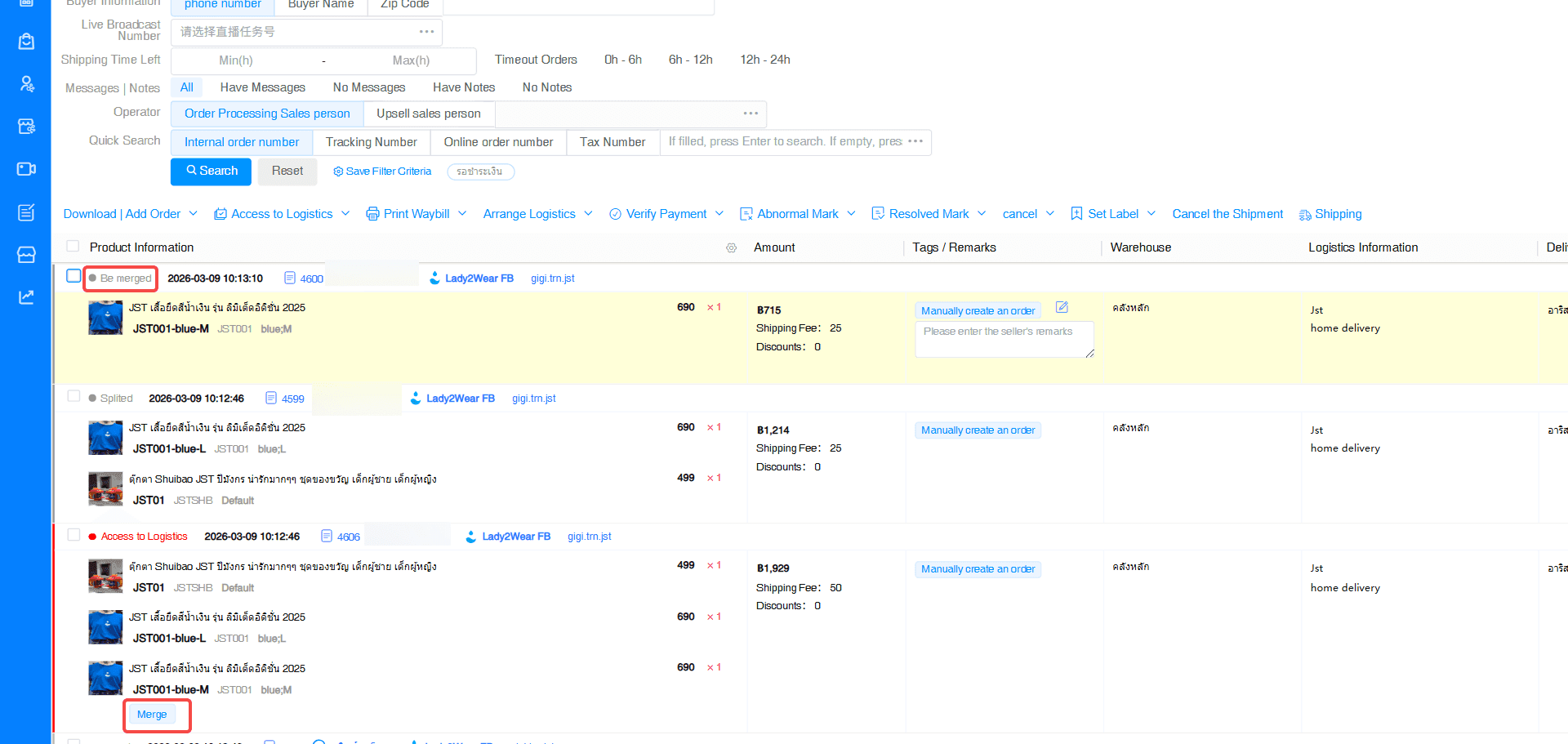
2. Smart Merge Now Supports Previously Split Orders
Menu: Order Management > Smart Merge
The Smart Order Merge feature now supports re-merging orders that were previously split.
When orders are split due to reasons such as inventory limitations or logistics requirements, the system can merge those sub-orders again if certain conditions are met, such as:
- Same shipping address
- Same store
This feature helps merchants:
- Reduce the number of shipments
- Lower logistics costs
- Improve flexibility in order processing
3. "Create Time" Query Condition Added to OrderTracker
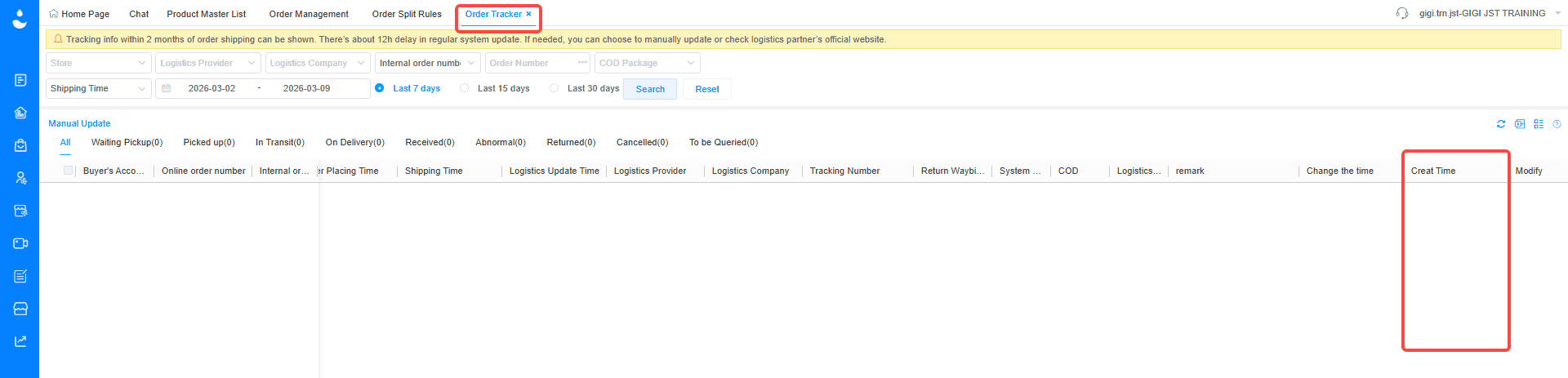
Menu: Logistics > Logistics Tracking A new Create Time (CreateTime) field has been added to OrderTracker records. This field records the exact time when logistics tracking information is first written into the system.
With this update, merchants can:
- Track when logistics data is recorded
- Analyse delivery timelines more accurately
- Investigate logistics issues more efficiently
This improvement also supports better logistics data analysis for operational insights.
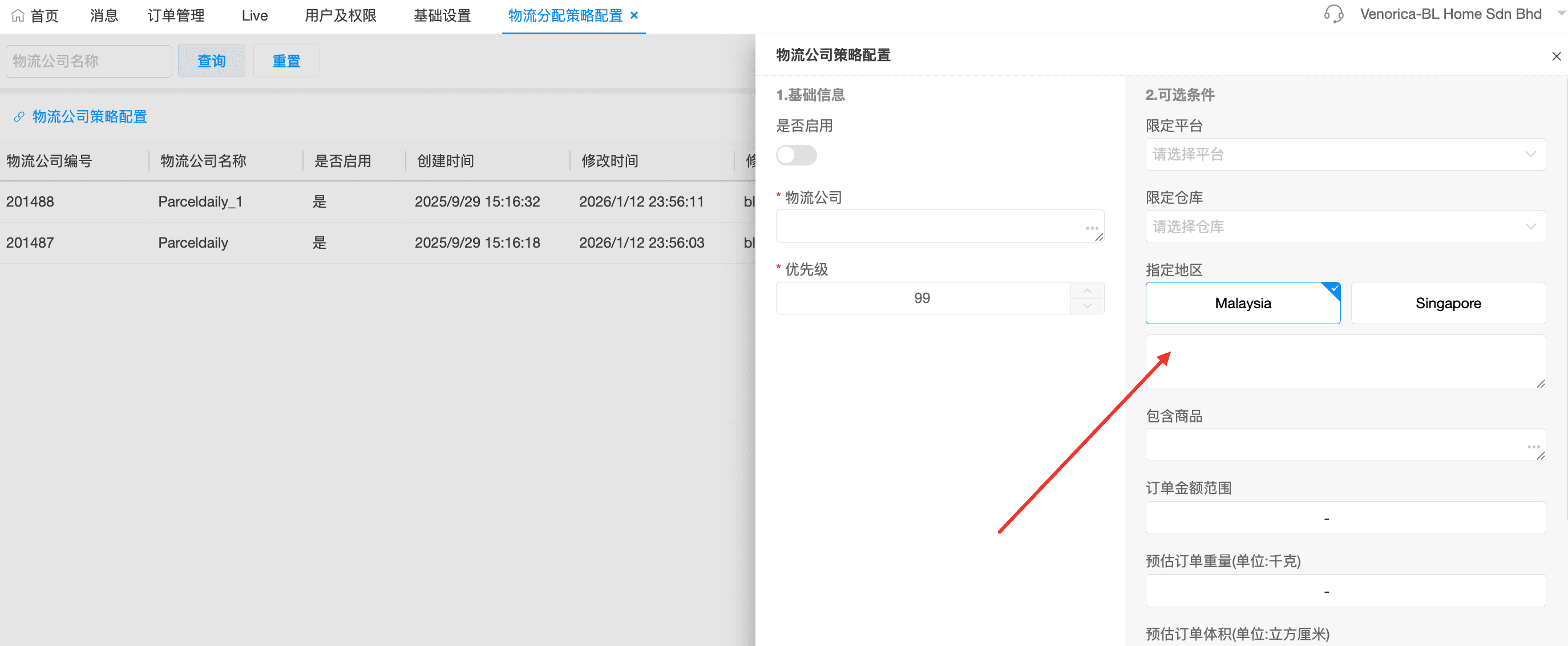
4. Singapore Address Region Added to Logistics Allocation Strategy
Menu: Settings > Orders > Logistics Allocation Strategy Configuration
The Logistics Allocation Strategy configuration now supports Singapore (SG) as a selectable address region.
This allows merchants to create dedicated logistics strategies for Singapore shipments, particularly useful for cross-border eCommerce operations.
This feature is designed specifically to support Malaysian merchants handling cross-border deliveries to Singapore.
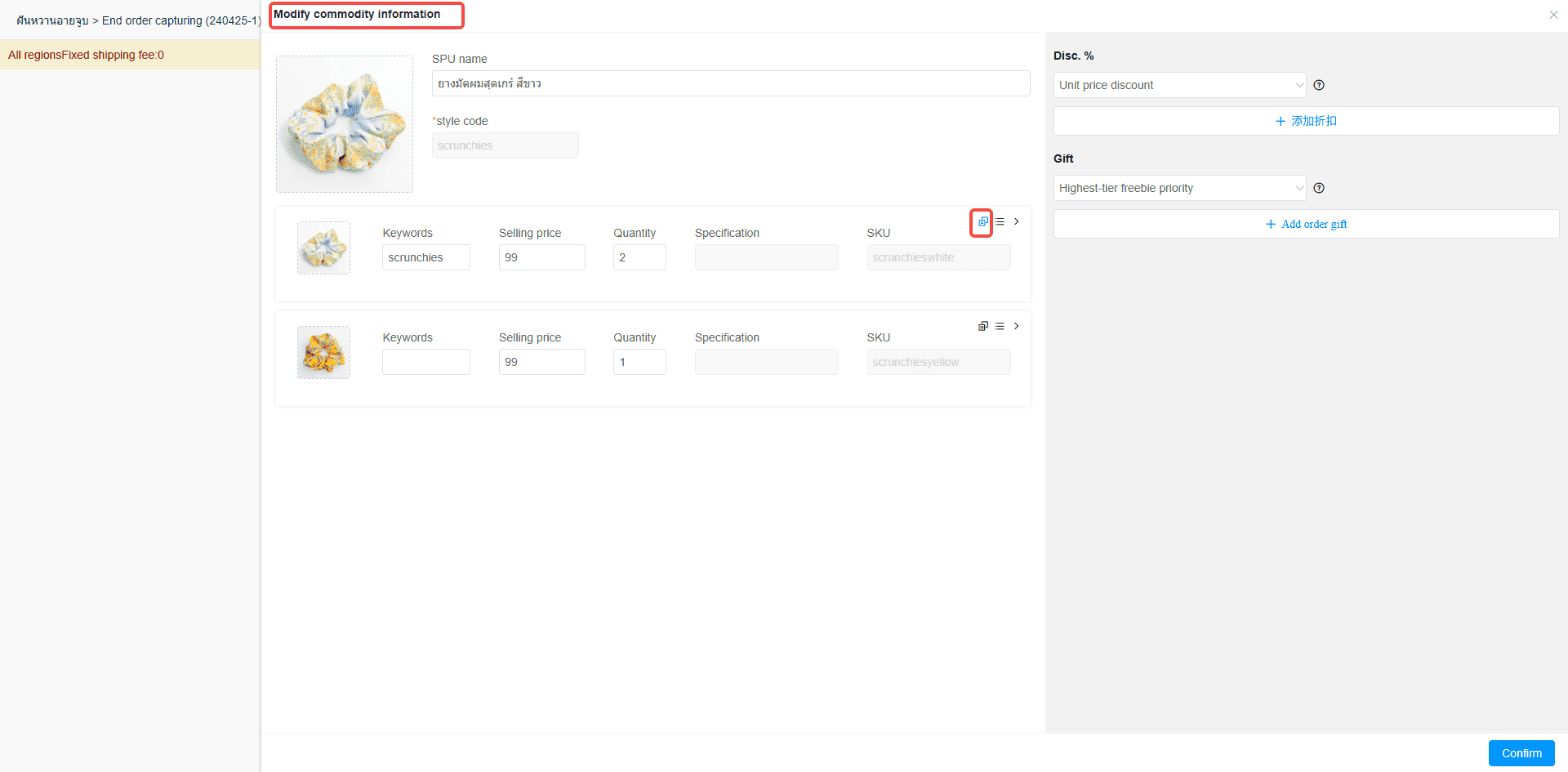
5. Create Combo Sets in the Live Streaming Interface
Menu: Live Streaming > Live Interface > Product Management
A new feature has been added to allow merchants to create combo sets directly within the live streaming interface.
During a live session, hosts can:
- Select multiple products to combine into a bundle
- Set bundle pricing
- Configure inventory for the combo set
- List the bundle for sale instantly in the live room
This feature improves product flexibility and helps merchants create more attractive promotional bundles during live selling.
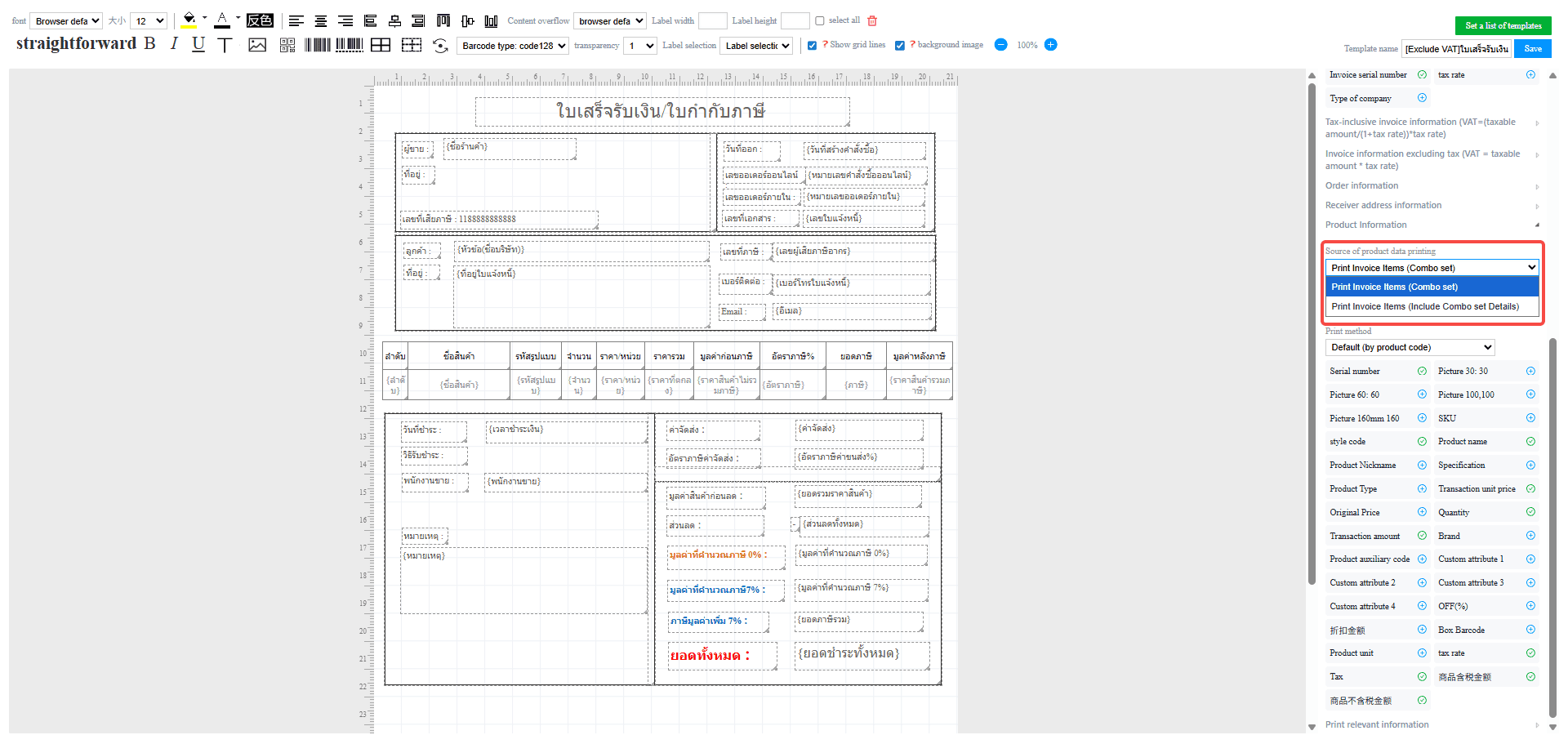
6. Print Templates 14 & 15 Support Combo Set Item Details
Menu: Print > 14/15 > Sales Invoice / Sales Delivery Note
Print templates 14 and 15 have been enhanced with a new product data source option.
This update enables the system to display detailed combo set item information when printing documents, including:
- Sales invoices
- Sales delivery notes
Merchants can now print documents that clearly show the individual items included within a combo set, improving order transparency and documentation accuracy.
If you're looking for a system to help manage orders, inventory, and warehouse management in one place, JST ERP is designed to support growing online businesses.
Interested in learning more? Get a free consultation with our team.
Leave your information in the form below and our team will contact you shortly.