
JST ERP New Feature Updates in July 2026 | 06.07.2026
The first JST ERP feature update of July focuses on improving accuracy and control across several key backend workflows. This update covers transfer order print templates, PDA courier scan registration, user permissions, return order management, serial number tracking, transfer stock in operations, shipping fee recalculation, and warehouse allocation rules.
1. Added "Outbound Order No." and "Wave No." in Transfer Order Print Template
JST ERP has added "Wave No." and "Outbound Order No." fields to the Transfer Order Print Template. These fields can now be included when printing transfer order documents.
This update allows transfer order documents to display more complete reference information. When teams need to check the relationship between transfer orders, outbound orders, and wave related records, the printed document can now provide clearer details in one place.
2. Improved Courier Scan Registration Notifications
JST ERP has optimized the notification messages for Courier Scan Registration when a tracking number cannot be found. The system now checks both the order status and the shipment order status before returning the notification message.
For example, if the related shipment order cannot be found or if the order has already been cancelled, the system will return a more accurate message such as Shipment Order Not Found or Order Cancelled.
3. Added Permissions for Generate Invoice Serial Number and Cancel Financial Invoice
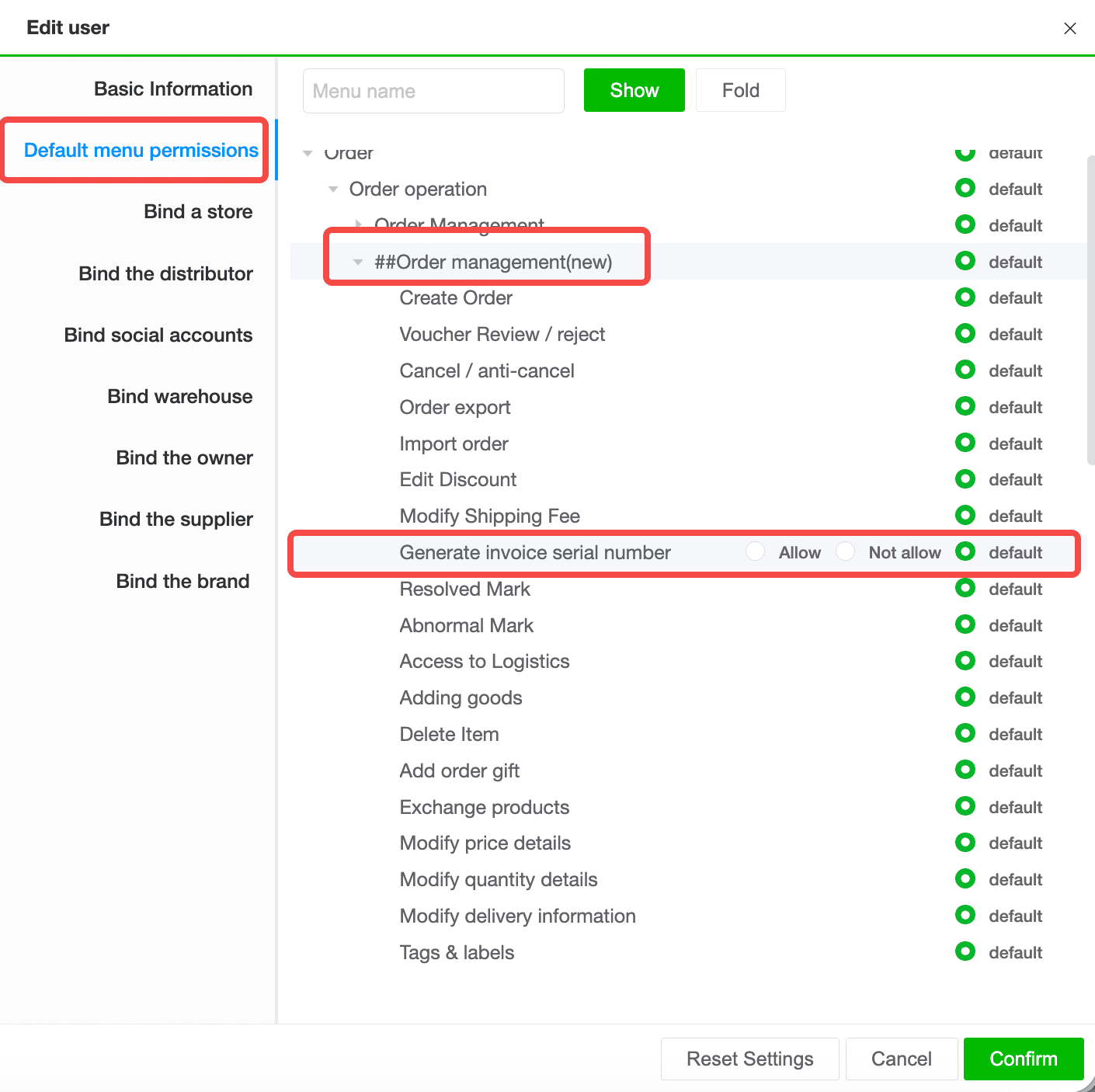
JST ERP has added a new "Generate Invoice Serial Number" permission under Order Management. This permission controls access to the Generate Financial Invoice and Cancel Financial Invoice buttons on the New Order Management page.
4. Added Return Order Management Permissions
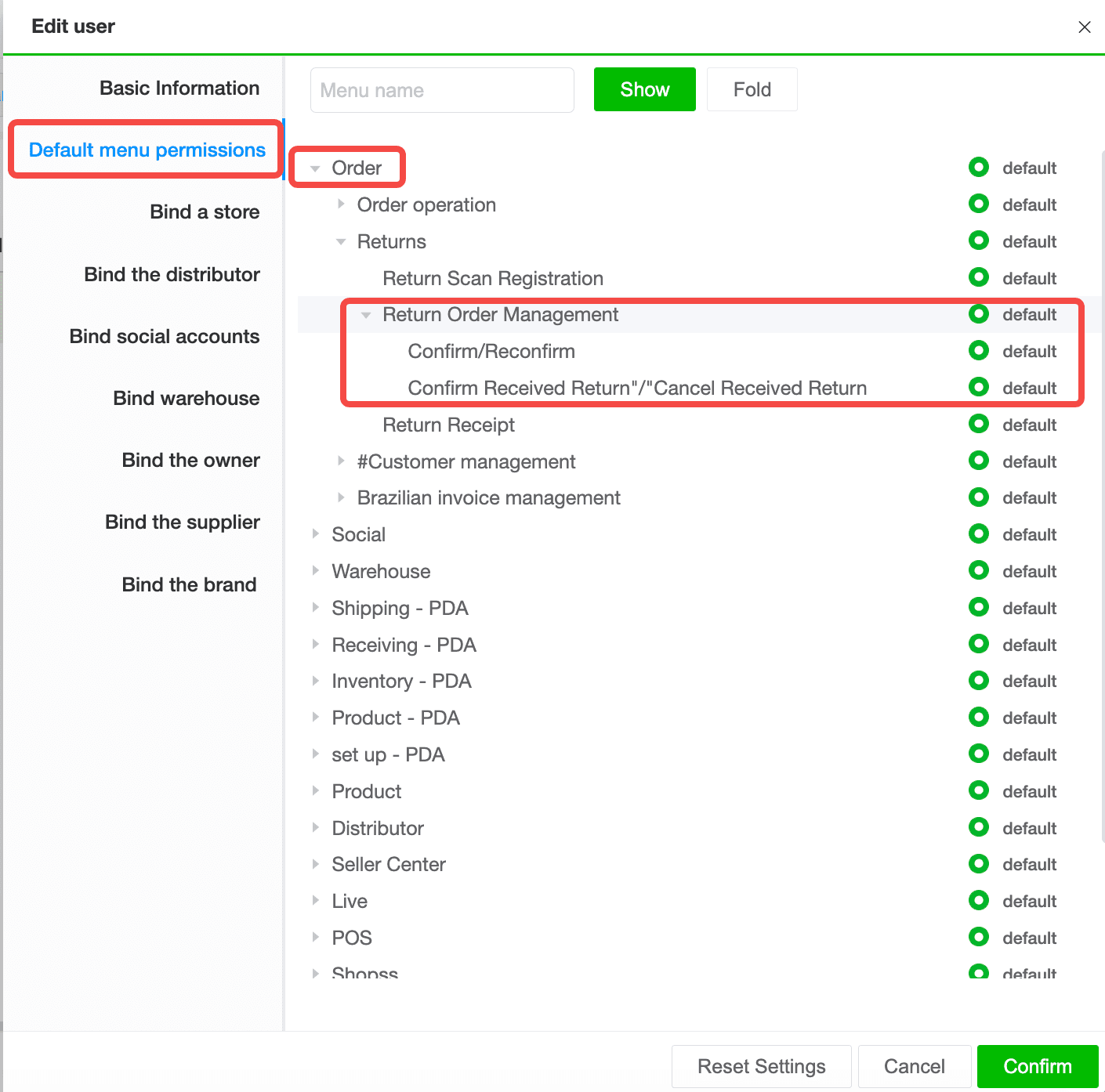
JST ERP has added new permission groups under Return Order Management. These permissions include Cancel and Undo Cancellation, as well as Confirm Return Received and Undo Return Received.
This update allows businesses to control return order operations more carefully. Users can be granted access only to the return order actions that match their role, helping each team work within the correct responsibility scope.
5. Enhanced Serial Number Management with Deletion Logs
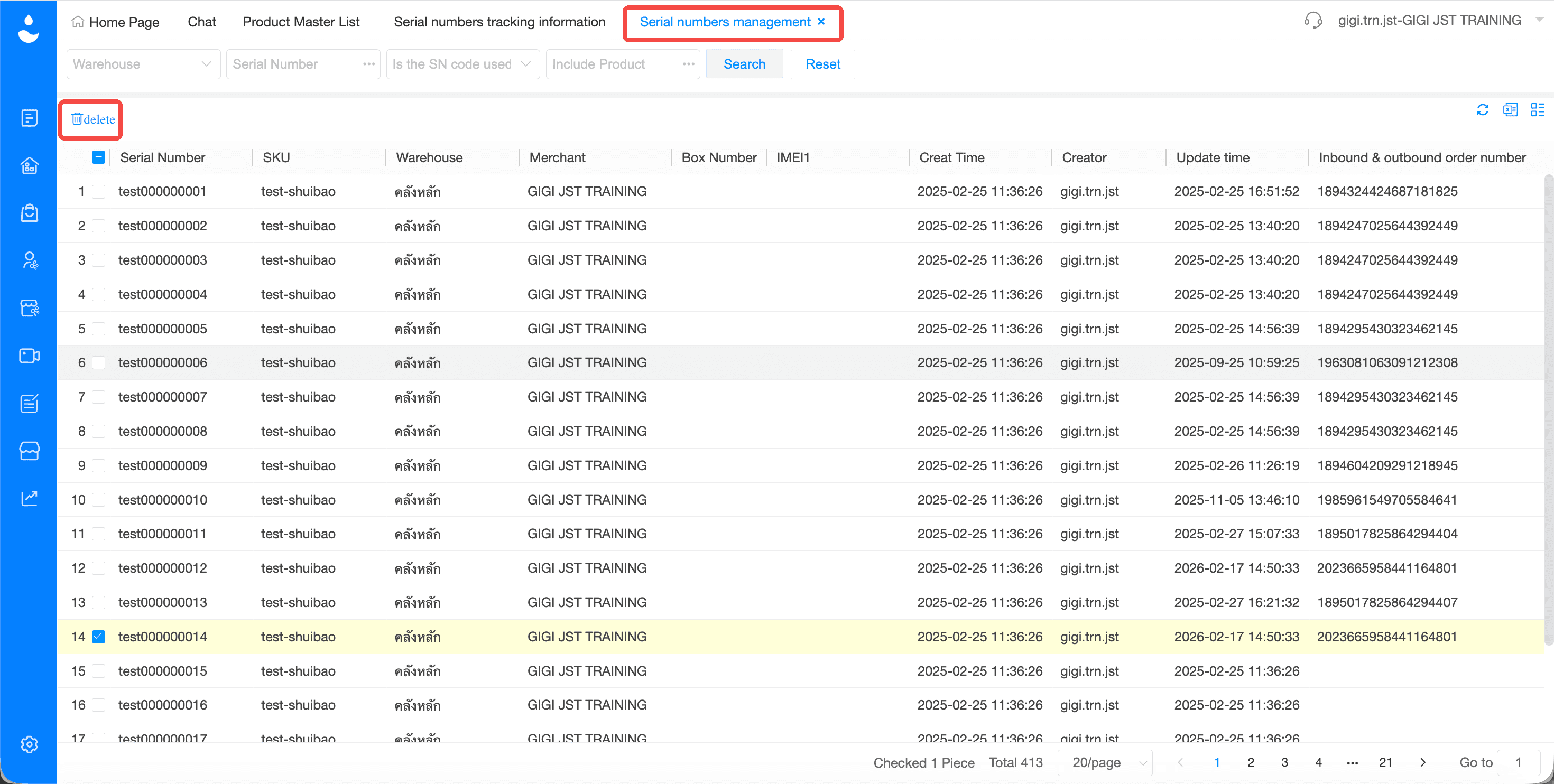
JST ERP has improved Serial Number management by moving the Delete button from Serial Number Tracking Information to the Serial Numbers Management menu.
In addition, whenever a serial number is deleted, the system will add a log entry to the Serial Number Tracking Information menu. This allows users to review deletion records and understand when a serial number was removed.
6. Support for Entering Expiration Date
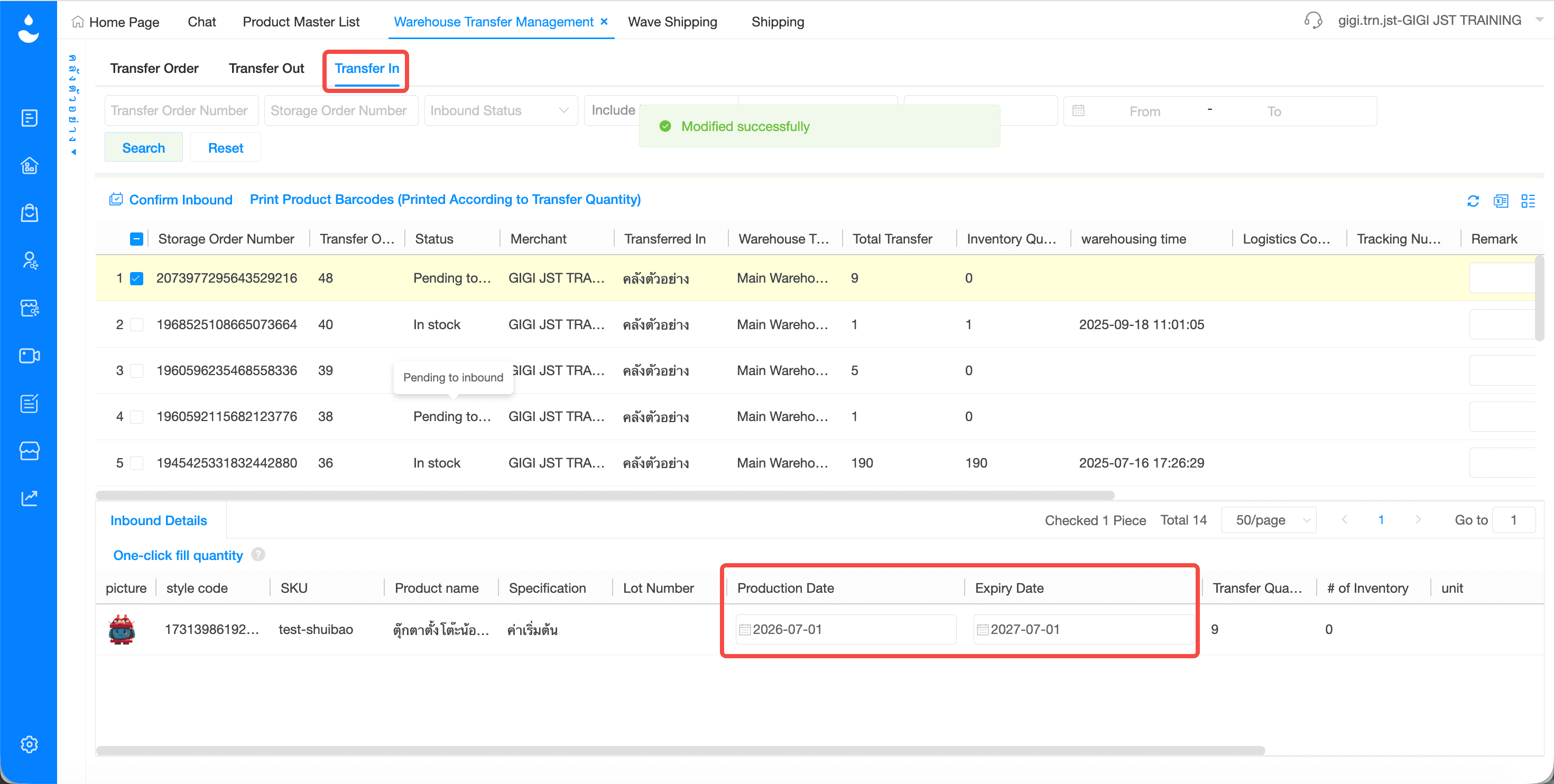
JST ERP now supports directly entering the Expiration Date on the Stock In Details page for transfer stock in operations. The system can also automatically calculate the Production Date based on product information.
This update helps businesses manage transferred inventory with more complete product lifecycle data. It is especially useful for products that require expiration date control, such as cosmetics, health products, and other items with shelf life requirements.
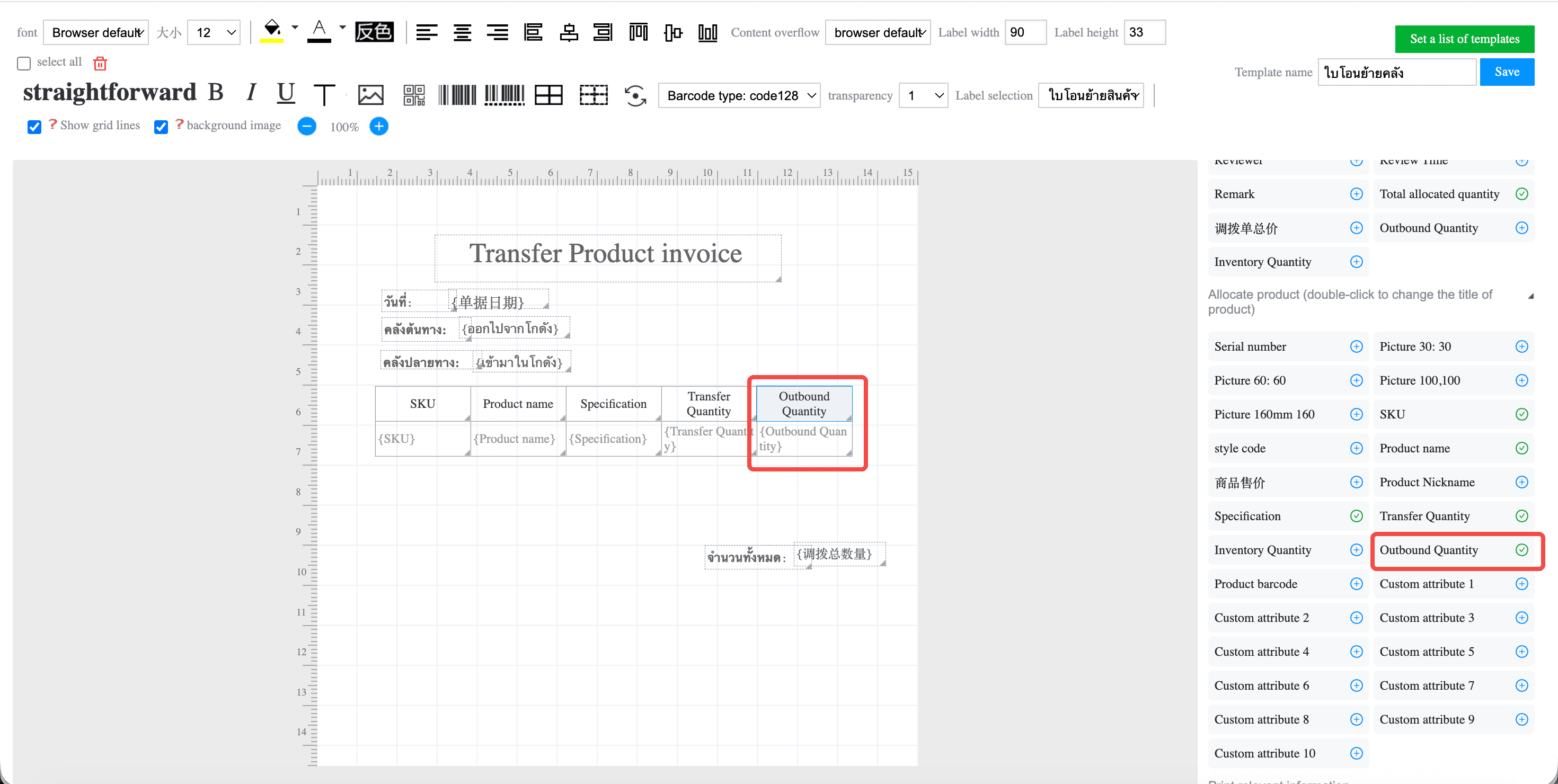
7. Added Outbound Quantity Field in Allocation Order Template
Added the "Outbound Quantity" field to the Allocation Order Template. This allows the printed allocation document to show the quantity that has been outbound from the warehouse.
This update helps users review allocation related product quantities more clearly. When teams need to compare allocated quantities, outbound quantities, and warehouse transfer details, the printed document can now provide more complete information.
8. Added Option to Recalculate Shipping Fees for Non Platform Orders
JST ERP has added a new toggle named Recalculate Shipping Fee for Non Platform Orders Based on Shipping Fee Rules.
When this option is enabled, the system will automatically recalculate the shipping fee for non platform orders after they match the order filtering rule. This allows non platform orders to apply shipping fee rules more consistently during order processing.
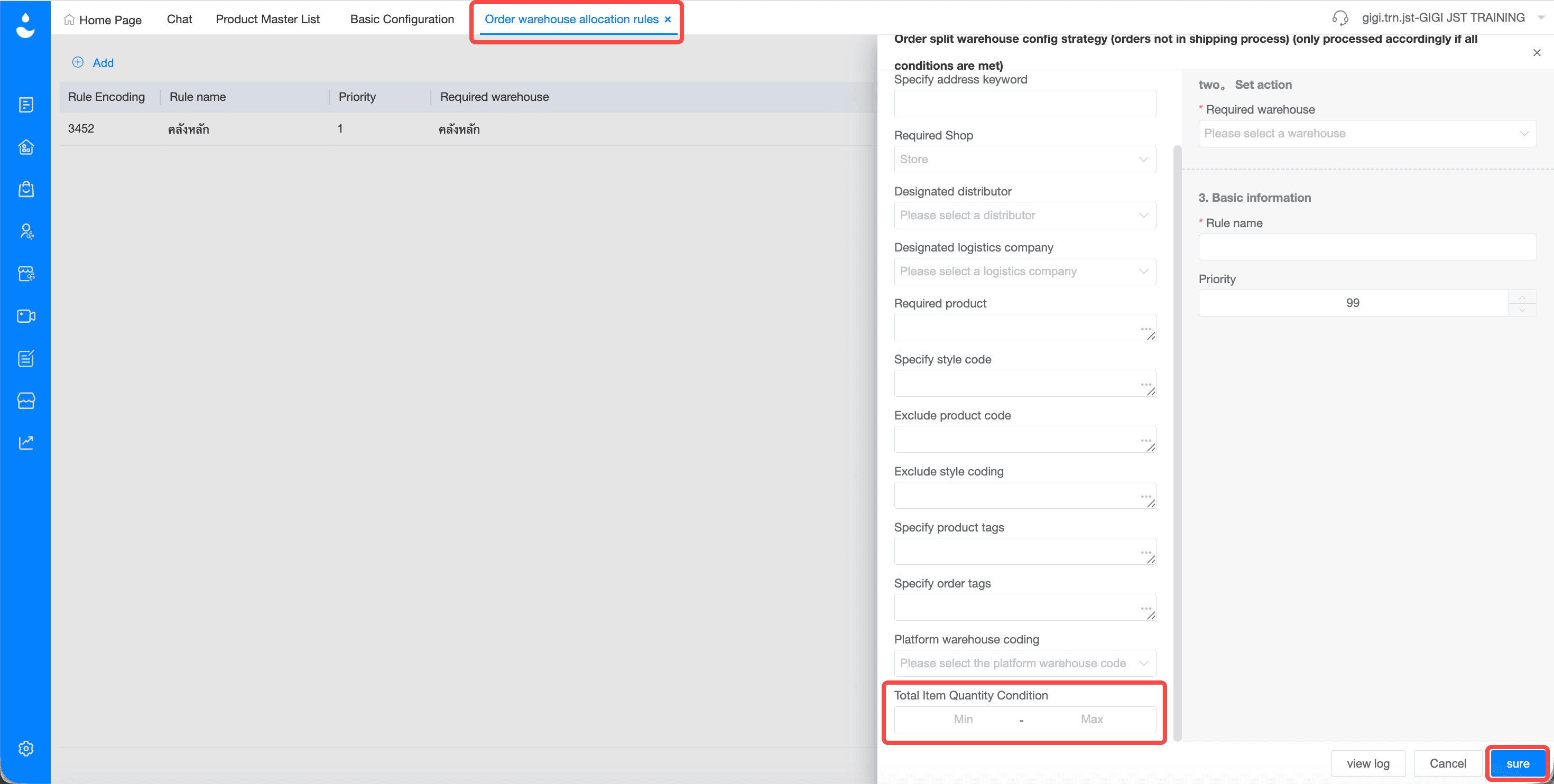
9. Added Total Item Quantity Condition in Warehouse Allocation Rules
Added a new condition called Total Item Quantity for configuring warehouse allocation rules.
This new condition allows businesses to use the total quantity of specified items as part of the warehouse allocation logic. The system can then allocate orders to warehouses based on more detailed quantity related conditions.
If you're looking for a system to help manage orders, inventory, and warehouse management in one place, JST ERP is designed to support growing online businesses.
Interested in learning more? Get a free consultation with our team.
Leave your information in the form below and our team will contact you shortly.
👉🏻 Click here 👈🏻
JST ERP Together, Empowers You